How to Build a Web App for Your Business: A Step-by-Step Guide for Pakistan
16 min read
On this page
- Website or web app? A 30-second test
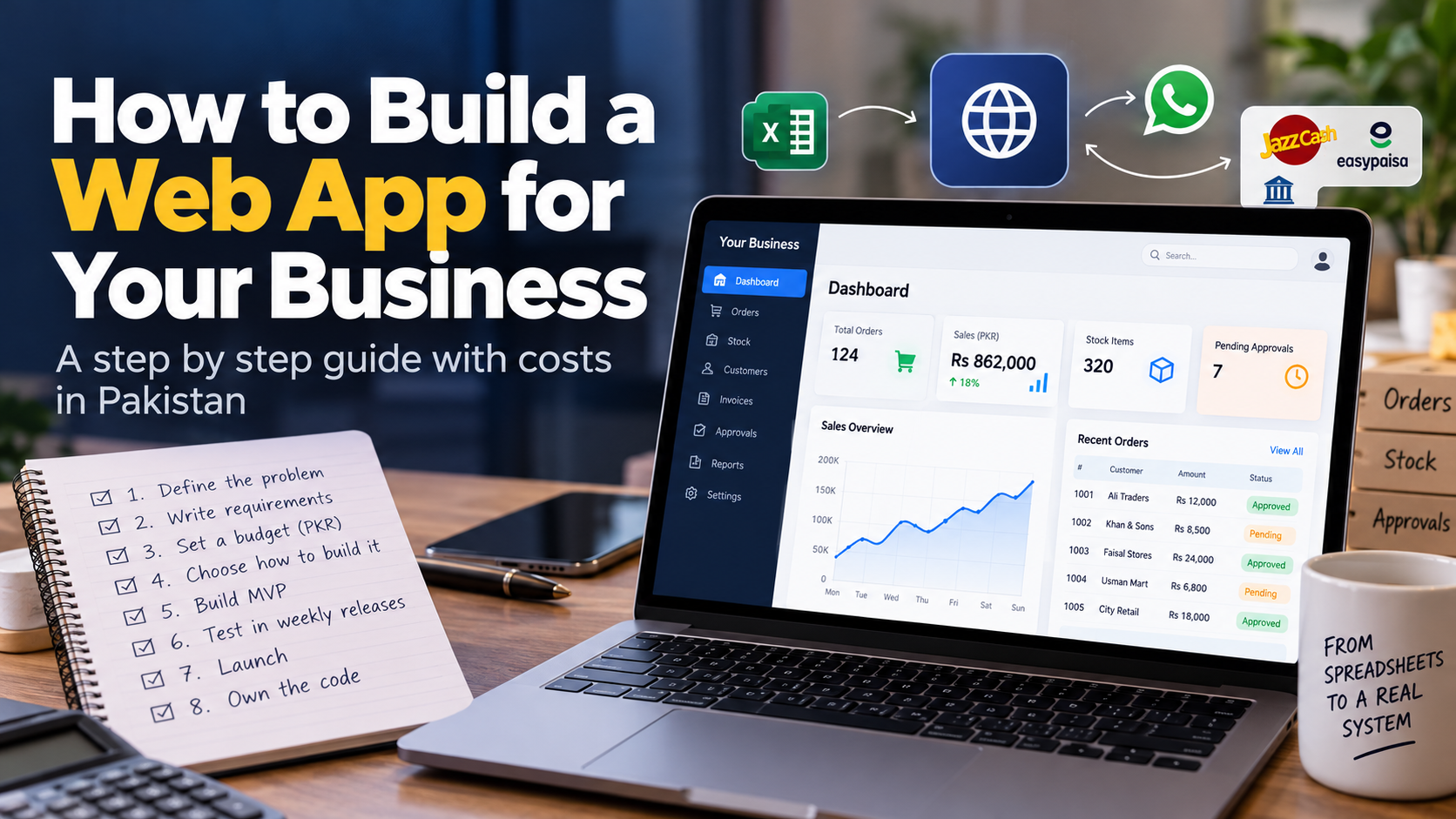
- How to build a web app for your business in 8 steps
- Step 1. Define the problem, not the features
- Step 2. Write your requirements on one page
- Step 3. Set a budget in PKR
- Step 4. Choose how to build it
- Step 5. Start with a small first version (MVP)
- Step 6. Design, build and test in weekly releases
- Step 7. Launch with your data, hosting and team ready
- Step 8. Own the code and plan for maintenance
- Common mistakes Pakistani businesses make
- A real example: from spreadsheets to a working system
- Frequently asked questions
- How much does it cost to build a web app in Pakistan?
- How long does it take to build a web app?
- Do I need a website or a web app?
- Can I build a web app without coding?
- Can my web app accept JazzCash and Easypaisa payments?
- Who owns the code after the web app is built?
- Ready to plan your web app?
Orders sit in one Excel file. Stock sits in another. Approvals happen in a WhatsApp group where messages get buried by lunchtime. Every Monday someone spends three hours rebuilding the same report, and by Wednesday it is already out of date.
If that sounds like your business, you are probably wondering whether a web app would fix it, and what it would take to build one. You are in the right place.
Here is the short answer. To build a web app for your business, you define the problem, write one page of requirements, set a budget, choose who builds it, start with a small first version, test it in weekly releases, launch with your data and team ready, and make sure you own the code. Most of the cost and risk is decided in the first four steps, before anyone writes a line of code.
This guide walks through all eight steps with costs in rupees, the payment options that work in Pakistan, and the mistakes we see businesses make most often.
Website or web app? A 30-second test
A website tells people about your business. A web app is software your team or customers log in to and use to get work done: entering orders, approving payments, tracking stock or downloading invoices. If people need an account and do tasks inside it, you need a web app, not a website.
Ask yourself three questions:
- Do users log in with their own account?
- Do they enter, change or approve data?
- Do different people see different things, like a manager seeing all branches and a salesman seeing only his own customers?
If you answered yes to any of them, you are looking at a web app. This matters because the two are priced very differently in Pakistan. A five-page business website can be quoted in tens of thousands of rupees, while a web app with logins, roles and integrations is a different kind of project. Many owners get a website quote, then are surprised when the real requirement turns out to be a portal or a dashboard.
A web app also runs in a browser, so it works on a laptop in the office and on a phone at the shop counter without anyone installing anything from the Play Store.
How to build a web app for your business in 8 steps
- Define the problem, not the features
- Write your requirements on one page
- Set a budget in PKR
- Choose how to build it
- Start with a small first version (MVP)
- Design, build and test in weekly releases
- Launch with your data, hosting and team ready
- Own the code and plan for maintenance
Step 1. Define the problem, not the features
Start from the work your team already does badly, not from a list of features you saw in someone else's software. Write down who does the task, how often, how long it takes, and what goes wrong. A clear problem statement is the cheapest way to cut cost, because it stops you paying for screens nobody needs.
The best place to look is the spreadsheet or WhatsApp group your business already runs on. Those workarounds are the real specification. Picture a typical distributor: a salesman sends orders on WhatsApp, an office boy types them into Excel, and an accountant re-enters the same orders into the accounting package. Three people, one order, three chances to make a mistake.
A good problem statement looks like this:
"Our 6 salesmen send about 80 orders a day on WhatsApp. Typing them into Excel and then into accounting takes 4 hours daily, and we find 5 to 10 mistakes a week in stock and invoices."
Notice there is no mention of technology. That comes later. If you are not sure whether your spreadsheets have reached their limit yet, our guide on when to move from Excel to a CRM or ERP covers the warning signs.
Step 2. Write your requirements on one page
Your first requirements document should fit on one page: who uses the app, what each person can see and do, the five screens you cannot live without, and the systems it must connect to. One page forces you to prioritise, and it gives every developer you talk to the same brief, so their quotes can actually be compared.
Cover these five headings:
|
Heading |
What to write |
Example |
|---|---|---|
|
Users and roles |
Who logs in, and what each role can do |
Owner, accountant, 6 salesmen, warehouse incharge |
|
Must-have screens |
The 5 screens the business cannot run without |
Order entry, stock, customer ledger, daily sales report, approvals |
|
Data you have today |
Where your current records live |
3 Excel files, a desktop accounting package |
|
Connections |
Other systems it must talk to |
Accounting, WhatsApp, a payment gateway |
|
Nice to have later |
Features for phase two |
Mobile app for salesmen, AI reports |
Two Pakistan-specific items belong on this page from day one.
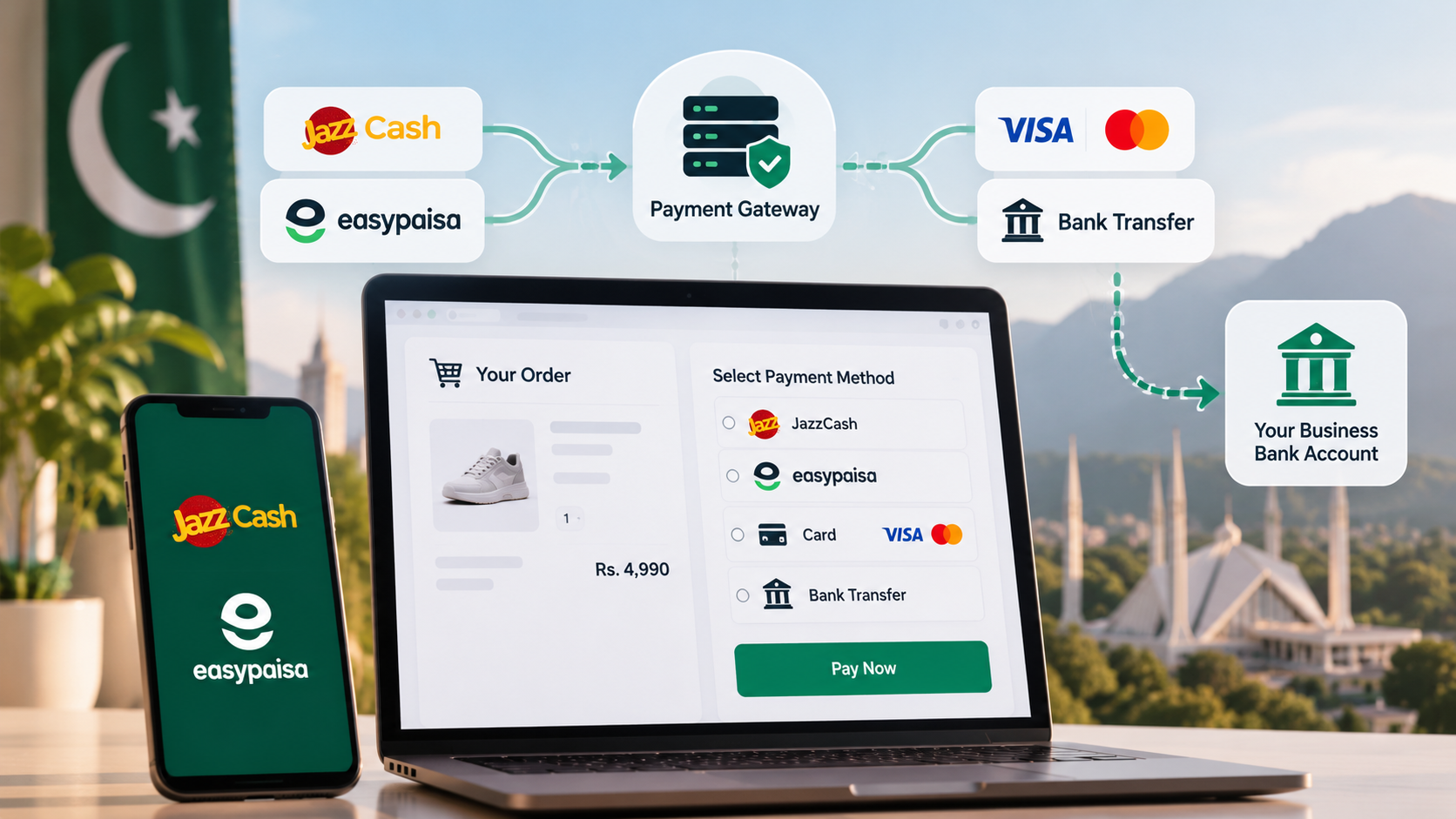
Payments. If customers will pay inside the app, write down how. In Pakistan that usually means JazzCash, Easypaisa, bank cards and direct bank transfer, either connected one by one or through a payment aggregator that bundles them. International options many global guides assume, like Stripe or Shopify Payments, often are not available to Pakistani businesses. Payment providers also ask for business registration documents before approving a merchant account, which can take weeks. Plan it now, not in the last week of the project.
Tax and invoicing. If you are registered for sales tax, invoices may need to reach FBR in real time through a licensed integrator. Our ERP software comparison for Pakistan explains how that rule changes what your software must do. If the app will share data with an existing CRM or ERP, read how CRM and ERP integration works before you finalise this page.
Step 3. Set a budget in PKR
A custom web app in Pakistan is a bigger investment than a website. Published agency price lists in Pakistan start custom web applications such as ERPs, CRMs, booking portals and SaaS platforms at around PKR 500,000, before 18% GST, and the final figure rises with the number of user roles, integrations and automated steps. Set your budget range before you request quotes.
The size of the project drives the cost more than anything else. Here is how the three common types compare:
|
Type of web app |
Typical example |
Time to a working first release |
What pushes the cost up |
|---|---|---|---|
|
Internal tool |
Order entry, stock and approvals for one team |
4 to 8 weeks |
Number of roles, reports, accounting connection |
|
Customer or dealer portal |
Dealers place orders, check ledger, download invoices |
Between the two, depending on roles and payments |
Payments, logins for outside users, security |
|
SaaS platform |
Software you sell to many businesses on subscription |
3 to 6 months or more |
Separate data per customer, billing, mobile apps |
Editor note: Lumen to add its own PKR range per row before publishing. Do not publish estimated figures.
Then budget for the years after launch, not just the build:
- Hosting. Shared hosting in Pakistan starts around PKR 12,000 a year, but a business web app usually needs cloud or VPS hosting, which starts from about PKR 30,000 a year and grows with users and data.
- Domain. A .com or .com.pk domain costs a few thousand rupees a year.
- Maintenance and support. Security updates, backups, bug fixes and small changes. Agree this in writing before launch.
- Payment fees. Gateways charge per transaction, so include them if customers pay inside the app.
A useful test: compare the build cost with what the problem costs you now. If four staff hours a day go into retyping orders, that is roughly 1,000 hours a year. Put a rupee figure on those hours and on the mistakes, and the budget conversation becomes much easier.
Step 4. Choose how to build it
You have four ways to build a business web app in Pakistan: a no-code tool, a freelancer, an agency or software house, or your own in-house team. No-code is cheapest for simple internal tools, freelancers suit small fixed jobs, agencies suit projects with several roles and integrations, and in-house teams only make sense once software is central to your business.
|
Option |
Upfront cost |
Speed |
Main risk |
Best for |
|---|---|---|---|---|
|
No-code tool |
Low, but monthly dollar subscriptions |
Fast for simple apps |
Limits on payments, permissions and data ownership; costs grow per user |
Simple internal forms and trackers |
|
Freelancer |
Low to medium |
Depends on one person |
Single point of failure; work stops if they disappear |
Small, clearly defined tools |
|
Agency or software house |
Medium to high |
Steady, with a team |
Choosing on price alone; vague scope |
Portals, ERPs, multi-role apps, integrations |
|
In-house team |
High and ongoing |
Slow to hire |
Salaries continue after the build is done |
Companies where software is the product |
The in-house option looks cheaper than it is. A mid-level web developer in Pakistan earns roughly PKR 80,000 to 150,000 a month, according to PNY Trainings' 2026 salary guide. But one developer is not a team. A real web app needs design, frontend, backend and testing, so three or four people at those rates add up to several lakh rupees every month, long after the first version ships.
No-code tools deserve a fair look too. For a simple approval form or a tracker, they can be live in days. For automating work between apps you already use, tools like Make or n8n are often enough, and our comparison of n8n, Zapier and Make for Pakistani businesses breaks down when each fits. They struggle when you need local payments, detailed permissions, or full control of your data.
Also check whether you need custom software at all. If a ready-made product already fits your process, buy it. We wrote two detailed comparisons on this question, one for custom vs ready-made CRM and one for choosing between custom and ready-made ERP.
If your project has several user roles, connects to accounting or payments, or will run a core part of the business, an experienced team is usually the safer choice. That is the work our custom web app development services are built for: fixed scope after discovery, weekly releases, and code you own.
Step 5. Start with a small first version (MVP)
An MVP, or minimum viable product, is the smallest version of your web app that solves the main problem from Step 1. Build the one workflow that saves the most hours first, put it in front of real users, and add the rest only after you see how they use it. A focused first release usually takes 4 to 8 weeks.
Go back to your list of five must-have screens and ask: which single screen would remove the most retyping or the most mistakes? For the distributor in Step 1, that is order entry that flows straight into stock and the customer ledger. Reports, the salesman mobile app and AI features can wait for phase two.
An MVP protects your budget. If the first version reveals that your warehouse team works differently from what the owner assumed, you change direction after a few weeks of work, not after the whole budget is spent.
Step 6. Design, build and test in weekly releases
You do not need to understand code to manage a web app project well. You need to see working software regularly. Ask for a link you can open every week, test it with the people who will use it, and send feedback while changes are still cheap. A monthly status report with nothing to click is a warning sign.
Here is what you should check as the business owner during the build:
- Screens before code. Approve simple mockups of the main screens before development starts. Moving a button on a drawing costs nothing.
- Real data in testing. Test with your actual customer names, product codes and Urdu or English spellings, not dummy data.
- Permissions. Log in as a salesman and confirm he cannot see other salesmen's customers or the company's profit figures.
- Money paths. Every screen that touches payments, invoices or stock should be tested with odd cases: a cancelled order, a partial payment, a return.
- The phone test. Open the app on an ordinary Android phone over mobile data, not only on office Wi-Fi.
Step 7. Launch with your data, hosting and team ready
A launch fails when old data comes in wrong or staff are not trained, not because of the code. Before go-live, move your existing records from Excel and accounting into the new app, check that opening balances match, train every user on their own role, and run the old and new systems side by side for a short period.
Three things to get right:
- Data migration. Customers, products, opening stock and outstanding balances need to come in once, and only once. If the same money lands twice, your books are wrong from day one.
- Training. Short sessions per role work better than one long demo for everyone. Give the warehouse team their screens, the accountant theirs.
- Parallel run. Keep the old process running briefly, compare the numbers daily, then switch off the spreadsheets.
We cover this stage in more detail in our guide to ERP implementation in Pakistan, including data migration and training plans. The same rules apply to any business web app.
Step 8. Own the code and plan for maintenance
Your web app is a business asset, so make sure the business owns it. Before final payment, confirm that the source code, the hosting account, the domain and every admin login are in the company's name, not the developer's. Then agree a maintenance plan for updates, backups and security fixes.
Use this handover checklist:
- Source code in a repository your company controls
- Hosting and server accounts registered to the business
- Domain registered to the business
- Admin passwords and payment gateway credentials handed over
- Written documentation and a short training recording
- A backup that has been restored at least once as a test
Once the app is stable, it becomes the base for the next layer of savings. Repetitive tasks around it, like payment reminders or lead follow-up, can often be automated, as we explain in our guide to AI automation for businesses in Pakistan.
Common mistakes Pakistani businesses make
Most failed web app projects in Pakistan fail for business reasons, not technical ones. The five mistakes below come up again and again, and every one of them is avoidable in the first four steps.
- Choosing the lowest quote. Two quotes that differ by 3 times are rarely for the same work. Without the one-page brief from Step 2, you cannot tell what each quote leaves out.
- No written scope. "Make an ERP for us" is not a scope. A scope lists the roles, screens, integrations and what is out of phase one, and both sides sign it.
- The developer owns everything. The hosting, domain and code sit in the developer's personal accounts. When the relationship ends, the business is stuck.
- Payments added at the end. Merchant account approval takes time. Leaving JazzCash, Easypaisa or card payments to the last week delays launch.
- No owner inside the business. Someone on your side must answer questions, test each weekly release and make decisions. Without that person, projects drift.
A real example: from spreadsheets to a working system
Small distributors, hardware stores and wholesalers in Pakistan often run on paper registers and spreadsheets, and the accounting software available to them is either old desktop software or cloud tools priced per user for much bigger companies. That gap is exactly where a custom web app pays off.
Lumen built a complete ERP for Lumen Energy Solutions that handles around $300,000 of inventory movement a month: stock, sales, purchasing, POS and double-entry accounting in one system, with a native Android app for field salesmen. Its AI-driven reorder planning helped avoid about $20,000 of excess stock.
We then rebuilt that system as Bizro, a multi-tenant SaaS platform that many small businesses can use on subscription. A few decisions from that build show the steps in this guide in action:
- Phone first (Step 6). Screens were designed at phone width first, because owners run their day from a phone on the shop counter.
- Clean data on day one (Step 7). The setup wizard will not save opening balances until the books balance, and any import can be undone in one click.
- Local fit (Step 2). Urdu and right-to-left support is built in, along with WhatsApp payment reminders for late customers.
If your business needs a full ERP of its own rather than a shared platform, see our ERP and CRM systems service.
Frequently asked questions
How much does it cost to build a web app in Pakistan?
Published agency price lists in Pakistan start custom web apps at around PKR 500,000, before 18% GST. The final cost depends on the number of user roles, integrations with accounting or payments, and how much of the process is automated. Hosting and maintenance are extra yearly costs.
How long does it take to build a web app?
A focused internal tool usually takes 4 to 8 weeks to a working first release. A full platform with several user roles and integrations takes around 3 to 6 months. Clear requirements and quick feedback from your team are the two things that keep a project on schedule.
Do I need a website or a web app?
You need a web app if people log in to do work, such as entering orders, approving payments or tracking stock. A website only presents information about your business. Many Pakistani businesses need both: a website to attract customers and a web app to run operations.
Can I build a web app without coding?
Yes, simple internal tools like approval forms and trackers can be built with no-code platforms. They become limiting when you need local payment gateways, detailed user permissions, Urdu support or full ownership of your data. For core business systems, custom development is usually the safer long-term choice.
Can my web app accept JazzCash and Easypaisa payments?
Yes, a custom web app can accept JazzCash, Easypaisa, bank cards and bank transfers, either directly or through a payment aggregator. Your business will need a merchant account, which requires registration documents and approval time. Plan payments at the requirements stage so they do not delay launch.
Who owns the code after the web app is built?
Ownership depends on your contract, so put it in writing before the project starts. The business should receive the full source code, hosting account, domain and all admin logins in its own name. Without these, you depend on the original developer for every future change.
Ready to plan your web app?
Building a web app for your business comes down to eight decisions, and the first four matter most: a clear problem, a one-page brief, a realistic PKR budget and the right team.
If you want a fixed scope and price before you commit, Lumen AI builds custom web applications for Pakistani businesses, from internal tools to customer portals and SaaS platforms. Tell us how the process works today, spreadsheets and all, and book a free build scope.