Accounting Software in Pakistan: Which One Fits Your Business (and When to Go Custom)
16 min read
On this page
- What does accounting software actually do for a Pakistani business?
- Do you need accounting software, or is Excel enough?
- What to check before you choose (the Pakistan checklist)
- 1. FBR digital invoicing, through a licensed integrator
- 2. The tax reports your accountant actually uses
- 3. Inventory: none, basic or serious
- 4. Local support and the people who will use it
- 5. Cloud or desktop
- 6. Bank statement import
- 7. Who owns your data, and can you leave?
- Accounting software options in Pakistan, compared
- Local products (HysabOne, Splendid Accounts, BUSY)
- International products (Zoho Books, QuickBooks, Xero)
- Free options (Wave, Odoo Community)
- Odoo as a growth path
- Best accounting software in Pakistan by business type
- How much does accounting software cost in Pakistan?
- Free vs paid accounting software
- Switching from Excel, Tally, Peachtree or QuickBooks
- Signs you've outgrown accounting software
- Ready-made accounting software or a custom system?
- Frequently asked questions
- What is the best accounting software in Pakistan?
- How much does accounting software cost in Pakistan?
- Is there free accounting software that works in Pakistan?
- Can I use QuickBooks in Pakistan?
- Should I choose cloud or desktop accounting software?
- Does my accounting software need to connect with FBR?
- Is PRAL integration free?
- Can I move my data from Tally, Peachtree or Excel?
- When should I switch from accounting software to an ERP?
- Do service businesses registered only with SRB or PRA need FBR digital invoicing?
- The bottom line
Your sales sit in one register. Supplier bills sit in a drawer. Customer payments arrive on JazzCash, in cash and by bank transfer, and the only record of half of them is a WhatsApp screenshot. At month end your accountant spends three days putting it together, and the profit figure still feels like a guess.
The right accounting software in Pakistan depends on three things: whether you hold stock, whether you are registered for sales tax, and how many locations you run. Get those three answers first and the shortlist almost writes itself.
We build ERP systems for a living, so you might expect us to push you towards one. We won't. Most small businesses in Pakistan need good accounting software, not an ERP. This guide shows you how to pick one, what it costs in PKR, and the signs that tell you when you've outgrown it.
What does accounting software actually do for a Pakistani business?
Accounting software records every sale, purchase, payment and expense in one ledger, then turns those records into invoices, statements and tax reports. Instead of rebuilding your numbers at month end, you see your profit, cash position and who owes you money on any day you check.
In practice, a decent system handles:
- Invoicing: professional sales invoices with your NTN and STRN, sent by email or WhatsApp
- Receivables and payables: who owes you, who you owe, and how overdue each one is
- Bank reconciliation: matching your HBL, Meezan or MCB statement against your books
- Expenses: rent, salaries, fuel and utility bills, sorted into the right accounts
- Tax reports: sales tax and withholding figures your accountant needs for returns
- Financial statements: profit and loss, balance sheet and trial balance on demand
Some products add inventory, POS or payroll. That is where most of the price difference comes from, so be clear about which of those you actually need before you compare anything.
Do you need accounting software, or is Excel enough?
Excel is enough if one careful person keeps the books, you issue a few dozen invoices a month and you don't hold much stock. Once more than one person edits the file, or you can't say who owes you money without searching, Excel has started costing you.
Three signs it's time to move:
- Payments go missing between sheets. A customer says they paid; nobody can confirm it quickly.
- Month end takes days, not hours. Your accountant is collecting figures instead of checking them.
- Sales tax returns are a scramble. Invoice numbers, tax amounts and buyer details live in different places.
We've written a longer guide on when to move from Excel to a CRM or ERP. For most businesses, accounting software is the first step off the spreadsheet, and often the only step they need for years.
What to check before you choose (the Pakistan checklist)
Check seven things before you sit through a single demo: FBR digital invoicing, the tax reports your accountant needs, inventory depth, local support, cloud or desktop, bank import and data export. International comparison sites skip most of these, and they are exactly where Pakistani businesses get stuck.
1. FBR digital invoicing, through a licensed integrator
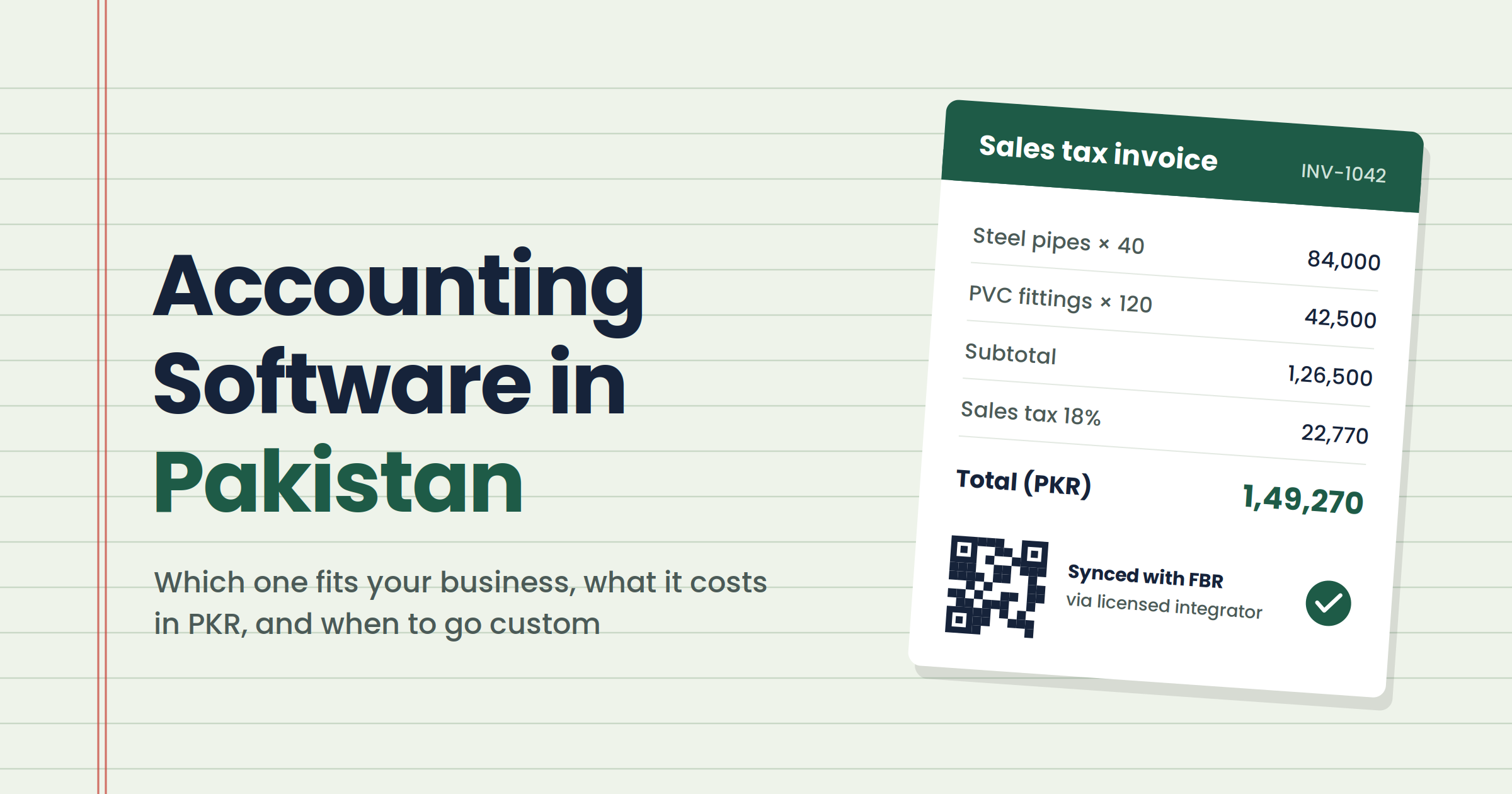
If you are registered for sales tax with FBR, your invoices now have to reach FBR in real time through a licensed integrator. PRAL offers this integration free; other licensed integrators charge. The software itself doesn't make you compliant. It produces the invoice, and the integrator connects it to FBR.
So don't ask a vendor "is it FBR compliant?" Ask which licensed integrator it connects through, then check that name on FBR's own list. Under Sales Tax General Order 01 of 2026, an invoice can be edited or cancelled within 72 hours for a genuine mistake, so ask to see that done in a demo too. Our best ERP software guide lists what to ask a vendor about FBR integration in more detail.
If your services are registered only with a provincial authority (SRB, PRA, KPRA or BRA), you may sit outside the federal digital invoicing rules. Confirm your own position with your tax adviser.
2. The tax reports your accountant actually uses
Ask your accountant which reports they need for sales tax and withholding returns, then make the vendor produce those exact reports from sample data. A pretty dashboard is useless if the return still gets prepared by hand.
3. Inventory: none, basic or serious
A consultancy needs no inventory. A shop needs stock counts that drop when it sells. A distributor needs batches, multiple warehouses and costing. Pick the level you need now and the level you expect in two years, and nothing beyond that.
4. Local support and the people who will use it
Will someone answer a call in Urdu during your working hours? Does your accountant already know the product? Software your accountant refuses to use is the most expensive kind.
5. Cloud or desktop
Cloud software works from any browser, keeps backups for you and lets an owner check numbers while travelling. Desktop software keeps working when the internet drops. If your office has unreliable internet, test the cloud product on your actual connection before paying.
6. Bank statement import
Manual bank reconciliation is where hours disappear. Check whether the software can import statements from your bank in CSV or Excel, and how well it matches transactions.
7. Who owns your data, and can you leave?
Ask how to export your full ledger, customers and items. If the answer is vague, assume you're locked in. Switching later is far easier when your data comes out clean.
Accounting software options in Pakistan, compared
The accounting software options Pakistani businesses use fall into two groups: local products built around Pakistani tax and support, and international products with stronger ecosystems but little local fit. Neither group is better on its own. The table shows where each one fits. We don't sell or resell any of them.
|
Tool |
Type |
Best for |
Inventory |
FBR route |
Watch out for |
|---|---|---|---|---|---|
|
HysabOne |
Local, cloud |
SMEs wanting accounting + stock + POS from one vendor |
Yes |
Ask which integrator |
Bigger plans needed for inventory and POS |
|
Splendid Accounts |
Local, cloud |
Small traders and shops |
Yes |
Ask which integrator |
Pricing not published; ask for a written quote |
|
BUSY |
Indian product, local reseller |
Trading businesses used to desktop billing software |
Yes |
Ask which integrator |
Built for India first; check Pakistani tax reports |
|
Zoho Books |
International, cloud |
Service firms already using Zoho CRM |
Basic |
No native Pakistan integration |
Sales tax returns may still need manual work |
|
QuickBooks Online |
International, cloud |
Exporters and firms whose accountant knows it |
Basic |
No native Pakistan integration |
Not localised for Pakistani tax |
|
Xero |
International, cloud |
Exporters and freelancers billing abroad |
Basic |
No native Pakistan integration |
Paid in USD; card needed |
|
Wave |
International, cloud |
Freelancers with very simple books |
No |
None |
No inventory, no Pakistani features |
|
Odoo (Invoicing/Accounting) |
Open source, cloud or self-hosted |
Businesses expecting to add stock, POS or HR later |
Yes |
Through a local partner's connector |
Community vs Enterprise edition changes cost and features |
Features and FBR routes as published by each vendor in October 2026. Always ask the vendor to confirm in writing before you buy.
Local products (HysabOne, Splendid Accounts, BUSY)
Good for businesses that need sales tax reports, Urdu-speaking support and stock in one place. HysabOne publishes its prices openly, starting from PKR 3,499 a month on annual billing for accounts only. Not ideal if your accountant is trained on international software and doesn't want to switch.
International products (Zoho Books, QuickBooks, Xero)
Good for service businesses, exporters and anyone invoicing in USD, GBP or AED. Their bank feeds, apps and accountant familiarity are hard to beat. The trade-off: none of them connects natively to FBR digital invoicing, so a sales-tax-registered business needs a separate integrator route or a lot of manual work.
Free options (Wave, Odoo Community)
Good for freelancers and very small service businesses with no stock and no sales tax registration. Wave is free but has no inventory. Odoo Community is free to use, but someone has to host, set up and maintain it, which is rarely free in practice.
Odoo as a growth path
Odoo starts as invoicing and accounting, then lets you add stock, POS, manufacturing or HR later on the same records. That makes it a sensible pick if you expect to grow into an ERP within two or three years.
Best accounting software in Pakistan by business type
The best accounting software in Pakistan is the one built for your kind of business. A freelancer, a shop and a distributor need three different tools, so start from your profile below rather than from anyone's top-ten list.
Freelancer or consultant, billing clients abroad. You need multi-currency invoices and clean records for income tax, not stock. Xero, QuickBooks Online or Zoho Books fit well. Wave works if your books are very simple.
Service firm (agency, clinic, consultancy). Invoicing, expenses, receivables and maybe project billing. Zoho Books is a natural fit if you already use Zoho CRM. If your sales process matters as much as your books, read our explainer on the difference between CRM and ERP before buying both.
Shop or retailer with stock. Stock that drops with every sale, counter billing and sales tax reports. A local product with inventory, such as HysabOne or Splendid Accounts, usually fits better than an international one. POS is often a separate plan, so price it in from the start.
Trader or distributor. Customer credit limits, receivable ageing and stock across godowns. Pick a local product with solid inventory, and test the receivables report with your own customer list before you pay.
Multi-branch business. Separate branch figures that roll up into one set of accounts. This is where accounting software starts straining. If you're here, skip ahead to the signs you've outgrown it.
How much does accounting software cost in Pakistan?
Accounting software in Pakistan costs anywhere from nothing to around PKR 25,000 or more a month, depending on users, inventory and POS. The subscription is rarely the whole bill. Setup, training, data migration and your FBR integrator can add more than the software itself in year one.
|
What you pay for |
Typical range |
Example (source) |
|---|---|---|
|
Free software |
PKR 0 |
Wave; Odoo Community (hosting extra) |
|
Accounts-only subscription |
From about PKR 3,500/month |
HysabOne Accounts, from PKR 3,499/month billed yearly (HysabOne) |
|
Accounts + inventory |
About PKR 7,000/month and up |
HysabOne Standard, PKR 7,000/month billed yearly (HysabOne) |
|
FBR licensed integrator |
Free to a few thousand PKR/month |
PRAL is free; one private integrator lists PKR 5,000/month plus PKR 15,000 setup (e-invoicing.pk) |
|
International tools |
Monthly USD subscription |
Zoho Books, QuickBooks, Xero: check current price in PKR at your card's exchange rate |
Prices as published on 29 October 2026. Check the vendor's page before you budget.
Two costs catch people out. Data migration takes real time when years of customer names and item codes don't match. And training matters more than features: software your team half-uses still costs full price. If your needs have grown past this table, our guide to what an ERP costs in Pakistan covers the next step up.
Free vs paid accounting software
Free accounting software is fine if you have no stock, aren't registered for sales tax and keep the books yourself. Once you need inventory, FBR digital invoicing or someone to call when the numbers look wrong, a paid local product usually saves more than it costs.
The hidden cost of free is support. When a reconciliation won't balance the night before a return is due, there is nobody to call. Free open-source software also needs hosting, updates and backups, which somebody has to do and somebody has to pay for.
Switching from Excel, Tally, Peachtree or QuickBooks
You can move to new accounting software without losing your history, if you clean the data first and run both systems side by side for one month. Most failed switches skip one of those two steps. We've migrated more than 30,000 legacy records for clients, and the pattern is always the same.
- Pick a clean start date. The first day of a month or quarter makes opening balances far easier.
- Clean before you move. Merge duplicate customers, fix item codes that mean the same product, and close out old unpaid invoices that are really bad debts.
- Move masters first, then balances. Customers, suppliers, items and chart of accounts, then opening balances, then open invoices.
- Run both systems for one month. Enter everything in both. If the trial balances don't match at month end, find out why before you switch off the old one.
- Train each person on their own screens. The person raising invoices and the person reconciling the bank need different training.
Signs you've outgrown accounting software
You've outgrown accounting software when the problem is no longer your books, but everything that feeds them. If stock, sales and accounts each have their own figure, or the same order is typed into three places, better accounting software won't fix it.
Watch for these:
- Sales, the warehouse and accounts each quote a different stock figure. Every meeting starts by arguing about which is right.
- The same order is entered three times. Once in the order book, once in the stock register, once in the accounts.
- Month end is assembly, not analysis. It takes a week because figures live in different systems.
- You've added branches or warehouses. Head office can't see branch numbers without a spreadsheet round-up.
- Your POS, website or field sales app doesn't talk to your books. Someone retypes the totals every day.
Two or more of those usually means you need stock, sales, purchasing and accounts on one set of records. That's what an ERP does. Our guide to ERP software for growing businesses explains how to judge the timing.
For a real example, the ERP we built for Lumen Energy runs double-entry accounting, stock, sales, purchasing and POS in one system, moving about $300k of stock a month.
Ready-made accounting software or a custom system?
For most small and mid-sized businesses in Pakistan, ready-made accounting software is the right answer. It's cheaper, faster to start and already handles the accounting edge cases. Custom only makes sense when your accounts have to sit inside a workflow that no off-the-shelf product supports.
That usually means a business whose pricing, approvals or stock movements are unusual enough that every ready-made system needs workarounds. Even then, the accounting core is often better configured than built from scratch. We go through that trade-off in custom vs ready-made ERP.
Frequently asked questions
What is the best accounting software in Pakistan?
There is no single best option. Local products like HysabOne or Splendid Accounts suit businesses that need stock and sales tax reports. Zoho Books, QuickBooks or Xero suit service firms and exporters. Pick by business type, sales tax registration and inventory needs, not by a vendor's ranking.
How much does accounting software cost in Pakistan?
It ranges from free to around PKR 25,000 or more a month. Local accounts-only plans start near PKR 3,500 a month, and plans with inventory cost more. Budget separately for setup, training, data migration and your FBR integrator, which can add significantly in the first year.
Is there free accounting software that works in Pakistan?
Yes. Wave is free for simple invoicing and bookkeeping, and Odoo Community is free open-source software. Both suit freelancers or small service businesses without stock. Neither offers Pakistani sales tax features or local support, and Odoo still needs hosting and maintenance.
Can I use QuickBooks in Pakistan?
Yes, QuickBooks Online works in Pakistan and many accountants know it. It isn't localised for Pakistani tax, though, and it doesn't connect natively to FBR digital invoicing. It suits exporters and service firms more than sales-tax-registered traders.
Should I choose cloud or desktop accounting software?
Cloud suits most businesses: you can check numbers from anywhere, backups are automatic and branches share the same data. Desktop suits offices with unreliable internet or strict rules about where data is stored. Test any cloud product on your real connection before paying.
Does my accounting software need to connect with FBR?
If you are registered for sales tax with FBR, your invoices must reach FBR in real time through a licensed integrator. Your software produces the invoice and the integrator sends it. Ask vendors which integrator they connect through and confirm your position with your tax adviser.
Is PRAL integration free?
PRAL, FBR's own technology company, is a licensed integrator and offers integration free of cost. Private licensed integrators may charge setup and monthly fees. Check FBR's current list of licensed integrators before choosing one.
Can I move my data from Tally, Peachtree or Excel?
Yes. Clean duplicates first, move customers, suppliers, items and opening balances, then run the old and new systems side by side for a month. If the trial balances match at month end, switch off the old system.
When should I switch from accounting software to an ERP?
Switch when stock, sales and accounts give different figures, the same order is entered more than once, or you run several branches. At that point the problem is disconnected systems, not your accounting software, and an ERP puts everything on one set of records.
Do service businesses registered only with SRB or PRA need FBR digital invoicing?
FBR's digital invoicing rules apply to persons registered for federal sales tax. Services registered only with a provincial authority such as SRB, PRA, KPRA or BRA may fall outside them, but provincial rules differ. Confirm your position with your tax adviser.
The bottom line
Most businesses in Pakistan don't need an ERP. They need accounting software that matches how they sell, handles their sales tax properly and has someone to call when the numbers don't add up. Pick by your business type, check the FBR integrator route, and run a one-month parallel test before you commit.
If you're not sure whether you need accounting software or something bigger, book a free audit with our team. We'll look at how your business runs and tell you straight, even if the answer is a PKR 3,500 subscription. And if you're already past that point, see how we build a custom ERP system in Pakistan.