ERP for Wholesale & Distribution Businesses in Pakistan: Inventory, Sales & Order Management
24 min read

On this page
- Why Do Wholesale and Distribution Businesses Need ERP?
- How Does ERP Work in a Wholesale and Distribution Business?
- How Does ERP Manage Wholesale Inventory?
- How Does ERP Handle Purchasing and Suppliers?
- How Does ERP Manage Wholesale Sales and Orders?
- How Does ERP Manage Customer Credit and Collections?
- Can ERP Track Profit by Product, Customer or Order?
- How Can ERP Help Sales Representatives and Distribution Teams?
- What ERP Features Matter Most for Wholesale and Distribution?
- ERP vs Separate Inventory and Accounting Software
- Does Every Wholesale Business Need a Full ERP?
- Ready-Made ERP vs Configured ERP vs Custom ERP for Wholesale Businesses
- How Much Does ERP for Wholesale and Distribution Cost in Pakistan?
- How to Implement ERP for a Wholesale or Distribution Business
- What Should a Pakistani Wholesaler or Distributor Check Before Buying ERP?
- Common ERP Mistakes Wholesale and Distribution Businesses Make
- FAQs
- Conclusion
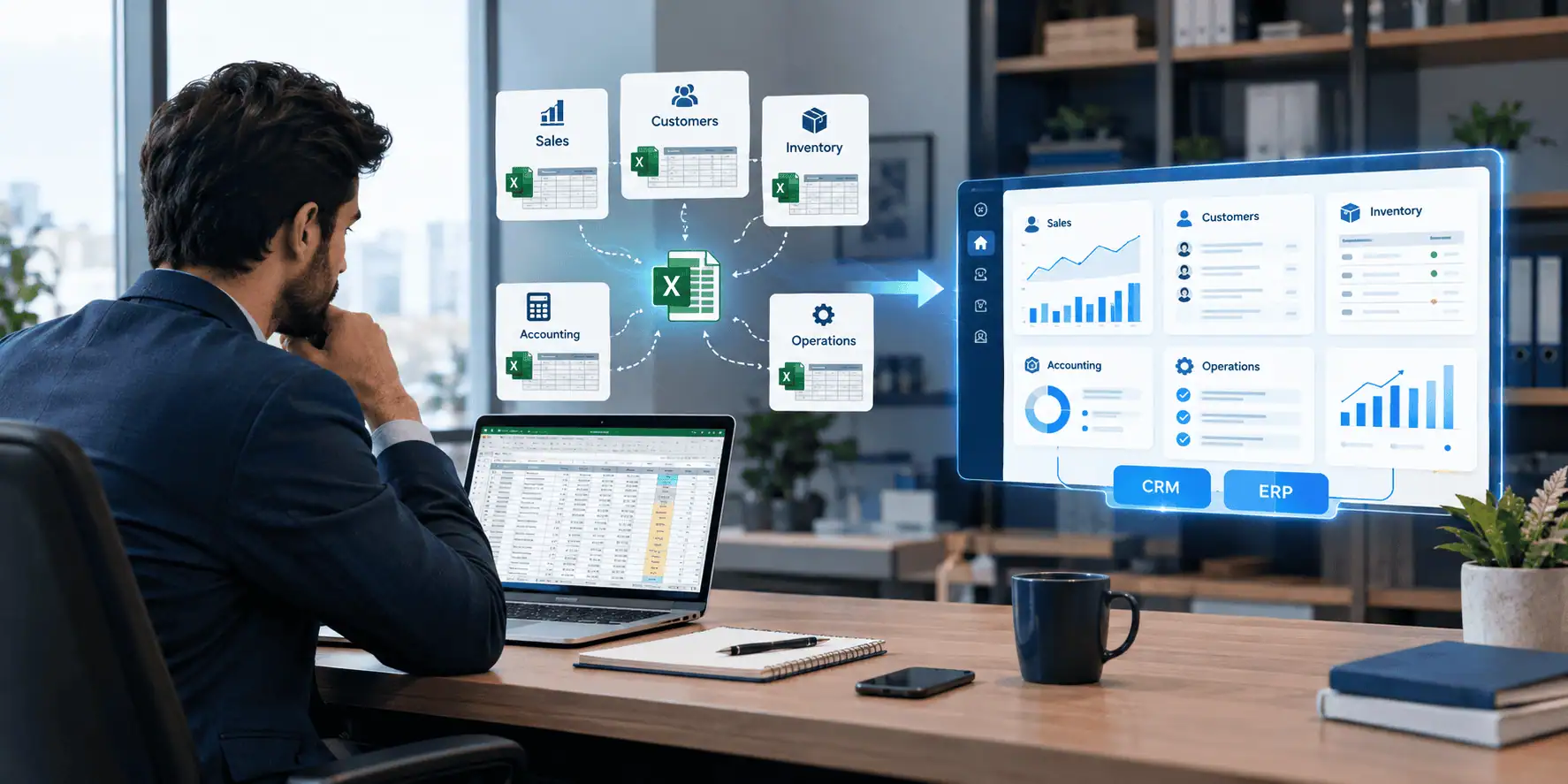
A wholesaler or distributor in Pakistan often ends up running the same business on five different systems at once. Purchasing records sit in one register. Inventory counts live in another spreadsheet, updated whenever someone remembers to update it. Sales orders get written down or typed into a separate file. Customer balances are tracked in accounting software that nobody outside the accounts department opens. Collections from dealers and retailers get followed up through phone calls and a notebook.
The problem here is not really the number of tools in use. The problem is that the same business transaction, a single sale to a single dealer, may need to be entered or reconciled in three or four different places before anyone can say with confidence how much stock is left, how much that customer owes, and whether the sale was actually profitable.
ERP for wholesale and distribution businesses in Pakistan exists to close that gap. ERP can connect purchasing, inventory, sales, accounting and customer credit into one business system, giving wholesale and distribution teams a more consistent view of stock, orders and money owed. It does not automatically fix bad processes, and it will not solve every operational problem on its own, but when it is set up around how the business actually works, it removes a large amount of duplicate data entry and gives owners and managers a single place to look for answers.
This article walks through how ERP fits into the real workflow of a wholesale or distribution business in Pakistan, what it can and cannot realistically do, and how to judge whether your business is ready for it.
Why Do Wholesale and Distribution Businesses Need ERP?
Wholesale and distribution businesses often need ERP when purchasing, inventory, sales, customer credit and collections become too difficult to manage through separate spreadsheets or disconnected software. The main value is connecting these workflows so one transaction updates the relevant records across the business, instead of being typed in multiple times by multiple people.
A few common operational triggers push businesses toward ERP:
- Inventory counts on paper or in spreadsheets no longer match what is actually on the shelf or in the warehouse.
- Stock is held across more than one warehouse or godown, and nobody has a single view of total availability.
- The product catalog has grown into hundreds or thousands of SKUs, making manual tracking unreliable.
- A large share of sales happen on credit, and outstanding balances are hard to monitor across many customers.
- Order volume has grown to the point where manual order entry and manual invoicing slow the business down.
- Purchase orders, goods receiving and supplier bills are handled as separate, unconnected steps.
- Different customers get different prices or discounts, and applying these correctly by hand is error-prone.
- Sales representatives are placing orders in the field with no real-time visibility of stock or customer balances.
- Collections from dealers and retailers are tracked informally, so recoveries get missed or delayed.
- Owners rely on manual, end-of-month reports instead of being able to check numbers whenever they need to.
- The business runs on several disconnected systems that do not talk to each other.
- It is difficult to work out actual margin on a product, customer or order once discounts, returns and costs are accounted for.
Not every wholesaler needs a full ERP immediately. A small business with one warehouse, a simple product range and mostly cash sales may be perfectly well served by basic inventory and accounting software for some time. ERP becomes more relevant as complexity grows, not as a default first step.
How Does ERP Work in a Wholesale and Distribution Business?
ERP works in a wholesale or distribution business by connecting each stage of the transaction flow, from the supplier to the customer's payment, so that data entered once updates the relevant modules automatically instead of being re-entered by hand.
The core workflow that ERP is built to support looks like this:
Supplier → Purchase Order → Receiving / GRN → Warehouse → Inventory → Sales Order → Dispatch → Invoice → Customer Ledger → Collection
Here is what happens at each stage, and how a connected system changes it:
- Supplier and purchase order. A purchase order is raised against a supplier, specifying products, quantities and agreed price or terms.
- Receiving / GRN. When goods physically arrive, a goods received note (GRN) is recorded against that purchase order. This is the point where inventory actually increases.
- Warehouse. Received stock is allocated to a specific warehouse or storage location, which matters when a business operates more than one depot.
- Inventory. Stock levels update in real time as goods move in, move out, get transferred between warehouses, or get adjusted.
- Sales order. A customer order is entered, checked against available stock and, where relevant, against the customer's credit limit and agreed pricing.
- Dispatch. Goods are picked and dispatched against the sales order, which reduces inventory and creates a delivery record.
- Invoice. An invoice is generated from the dispatched order, ideally without re-typing quantities or prices that were already captured earlier in the process.
- Customer ledger. The invoice amount is posted to the customer's account, updating their outstanding balance.
- Collection. Payments received against that balance are recorded, and the customer ledger reflects what is still owed.
The point of connecting these stages is not novelty for its own sake. It is that a receiving clerk, a warehouse manager, a salesperson and an accountant can all be looking at figures that come from the same transaction, rather than four separate versions of the truth.
How Does ERP Manage Wholesale Inventory?
ERP manages wholesale inventory by tracking stock levels, movements and valuation by warehouse and location, so that purchasing, sales and warehouse teams are working from the same live numbers instead of separate counts.
Depending on the platform and how it is configured, inventory management in ERP typically covers:
- Stock by warehouse and by location within a warehouse, useful when a business runs more than one depot or godown.
- Stock receipts recorded against purchase orders and GRNs.
- Stock issues recorded against dispatches and sales orders.
- Stock transfers between warehouses, with a record of what moved, when and why.
- Stock adjustments, for damages, shrinkage or physical count corrections.
- Reorder levels, so the system can flag when a product needs to be reordered.
- Stock reservations, holding stock against a confirmed order so it is not accidentally sold twice.
- Batch tracking, where products are grouped by production batch.
- Expiry tracking, where products have a shelf life.
- Inventory valuation, calculating the value of stock on hand based on the costing method in use.
Requirements here vary significantly by industry. For FMCG and pharmaceutical distribution in particular, batch and expiry tracking can be especially important, since selling expired stock or losing track of which batch a product came from carries real business and regulatory risk. An electronics or industrial products distributor, by contrast, may care far more about serial numbers or warranty tracking than expiry dates.
It is worth being clear that not every ERP includes batch tracking, expiry tracking or multi-warehouse management by default. These are often separate modules or configuration decisions, so it is worth confirming they are actually supported before assuming they come standard.
How Does ERP Handle Purchasing and Suppliers?
ERP handles purchasing and suppliers by linking the purchase order, goods receiving and supplier billing process together, so that receiving goods automatically affects inventory and the supplier's payable balance updates without separate manual entry.
A connected purchasing process in ERP generally includes:
- Supplier records, holding contact details, payment terms and historical transactions.
- Purchase requests, often raised internally before a formal purchase order is issued.
- Purchase orders, specifying products, quantities, agreed prices and delivery expectations.
- Goods receiving, confirming what physically arrived against what was ordered.
- Supplier invoices, matched against the purchase order and GRN.
- Supplier payment terms, tracked so payment due dates are visible.
- Supplier balances, showing what is currently owed to each supplier.
- Purchase returns, for goods sent back due to damage or discrepancy.
- Landed cost, where relevant, for businesses that import stock and need to factor in freight, duties and other charges to arrive at a true cost per unit.
The value of connecting these steps is straightforward. A purchase should not end at the purchase order. Receiving the goods should affect inventory, while the supplier bill and payment should flow into the relevant financial records, rather than being tracked separately by the accounts team after the fact.
How Does ERP Manage Wholesale Sales and Orders?
ERP manages wholesale sales and orders by capturing the order once, applying the correct pricing and stock checks automatically, and carrying that same data through to dispatch and invoicing without repeated manual entry.
A typical sales workflow in ERP includes:
- Quotations, where applicable, for customers who negotiate before confirming an order.
- Sales orders, recording what a customer has agreed to buy.
- Customer records, holding contact details, credit terms and order history.
- Customer-specific pricing, where different dealers or retailers pay different rates for the same product.
- Price lists, maintained centrally rather than remembered by individual salespeople.
- Discounts, applied either manually or based on predefined rules.
- Schemes, where applicable, such as volume-based offers common in FMCG distribution.
- Sales invoices, generated from the confirmed and dispatched order.
- Returns, recorded against the original sale.
- Delivery orders, documenting what was physically sent to the customer.
- Order status, tracked from placement through to delivery and invoicing.
It is useful to understand the difference between a sales order and an invoice in this context. A sales order represents what the customer has agreed to buy and is a planning and stock-allocation document. An invoice is the financial record of what was actually delivered and billed. In a connected ERP, the invoice is typically generated from the sales order and dispatch record rather than created independently, which reduces the chance of the two not matching.
How Does ERP Manage Customer Credit and Collections?
ERP manages customer credit and collections by tracking each customer's credit limit, outstanding invoices and payment history in one ledger, so that sales, accounts and collection teams can all see the same up-to-date balance.
For a business that sells to dealers and retailers on credit, which is common practice across Pakistani wholesale and distribution, this is often one of the most valuable parts of an ERP system. The typical workflow looks like this:
Customer → Credit Limit → Sale → Invoice → Outstanding → Aging → Collection → Payment
What this generally covers:
- Customer credit limits, set per customer based on agreed terms.
- Customer balances, showing what each customer currently owes.
- Outstanding invoices, listed individually rather than as a single lump balance.
- Aging reports, breaking down how long invoices have been outstanding, for example current, 30 days, 60 days and beyond.
- Payment history, showing a customer's track record of paying on time or late.
- Collection tracking, recording who is following up with a customer and what was promised.
- Salesman visibility, so a sales representative can see a customer's balance before taking another order from them.
- Credit control, such as blocking new orders when a customer exceeds their agreed credit limit.
This matters because credit sales are a normal part of how many wholesale and distribution businesses operate in Pakistan, whether selling to retailers, dealers or sub-distributors. Without a connected system, it is easy for a salesperson to keep selling to a customer who is already well over their limit, simply because nobody involved in the transaction had visibility of the outstanding balance at the point of sale.
It is worth being direct about the limits here. ERP can give visibility into who owes what and for how long, and it can enforce credit limits at the point of order. It does not automatically prevent bad debt. Recovery still depends on the business actually following up on the aging report the system produces.
Can ERP Track Profit by Product, Customer or Order?
ERP can track profit by product, customer or order, but the accuracy of that figure depends entirely on how purchase cost, landed cost, discounts and returns are configured in the system.
Meaningful margin analysis in a wholesale or distribution business typically needs to account for:
- Purchase cost, the base price paid to the supplier.
- Landed cost, where import duties, freight and handling are added to arrive at a true unit cost.
- Selling price, what the customer was actually charged.
- Discount, any reduction applied to that sale.
- Returns, which affect both revenue and the units considered sold.
- Product-level margin, aggregated across all sales of a given product.
- Customer-level margin, showing which customers are actually profitable once discounts and payment terms are factored in.
- Order-level margin, where the platform supports it, showing profitability on individual transactions.
The important caveat is that this is only as reliable as the cost data behind it. If landed costs, overheads or discount structures are not properly configured, the margin figures the system produces will look precise without actually being accurate. ERP does not calculate profitability out of thin air. It calculates it from the cost and pricing data that has been entered, so getting that setup right matters more than the reporting feature itself.
How Can ERP Help Sales Representatives and Distribution Teams?
ERP can help sales representatives and distribution teams by giving them access to customer balances, product availability and pricing while they are in the field, rather than relying on outdated printed lists or phone calls back to the office.
Where field sales functionality is supported, this often includes:
- Customer lists, with relevant order and payment history.
- Mobile order entry, allowing a representative to capture an order directly on a phone or tablet.
- Product availability, so a rep is not promising stock that does not exist.
- Customer balances, visible before taking a new order, especially useful for credit control.
- Price lists, applied automatically per customer.
- Order capture, feeding directly into the same sales order process used elsewhere in the business.
- Visit or activity records, where the platform supports logging field visits.
- Delivery status, so a rep can tell a customer where their order stands.
- Collection updates, where reps are also responsible for following up on outstanding payments.
This is particularly relevant for distribution businesses running route or van sales models with dealer networks, secondary sales and territory-based coverage, which is a common structure in Pakistani FMCG and pharmaceutical distribution. It is worth noting, though, that field sales functionality varies significantly between ERP platforms. Not every ERP includes mobile order entry or van sales route management as a default feature, so this needs to be confirmed against the specific business requirement rather than assumed.
What ERP Features Matter Most for Wholesale and Distribution?
The features that matter most for wholesale and distribution ERP are inventory management, purchasing, sales orders, customer and supplier ledgers, accounting, warehouse management, customer credit control, reporting and user permissions, since these cover the core purchase-to-collection workflow.
Essential or commonly important:
- Inventory management
- Purchasing
- Sales orders
- Customer and supplier ledgers
- Accounting
- Warehouse management
- Customer credit control
- Reporting
- User permissions
Useful depending on business model:
- Route or van sales
- Batch and expiry tracking
- Barcode scanning
- Trade schemes and claims management
- CRM functionality
- Ecommerce integration
- Point of sale (POS)
- Mobile apps for field teams
- Advanced analytics and dashboards
Not every business needs everything in the second list. A distributor running route sales with a dealer network will care a great deal about van sales and claims management. A wholesaler selling exclusively from a single warehouse counter may never need any of it. The right feature set depends on the actual business model, not on how long the feature list on a sales page is.
ERP vs Separate Inventory and Accounting Software
| Area | Separate Inventory & Accounting Tools | ERP |
|---|---|---|
| Data entry | Often duplicated across systems | Entered once, shared across modules |
| Inventory visibility | Limited to what each tool tracks | Consolidated across warehouses |
| Accounting | Usually separate from inventory | Linked to sales, purchasing and stock |
| Customer balances | Tracked in accounting software only | Visible to sales, accounts and credit control |
| Purchase workflow | Manual matching of PO, GRN and bill | Connected from order to payment |
| Sales workflow | Order, dispatch and invoice may not connect | Order, dispatch and invoice linked |
| Reporting | Manual consolidation required | Centralized reporting across modules |
| Integrations | Limited or custom-built | Often designed for integration |
| Scalability | Harder to scale across branches or warehouses | Built to scale with the business |
| User permissions | Varies, often basic | Typically more granular |
This comparison should not be read as ERP being automatically superior in every case. For a small, simple operation, separate inventory and accounting tools may still be perfectly sufficient, and switching to ERP too early can introduce cost and complexity without a matching benefit.
Does Every Wholesale Business Need a Full ERP?
Not every wholesale business needs a full ERP. Simpler software is often enough for businesses with a single warehouse, a straightforward product catalog and mostly cash-based sales, while ERP becomes more useful once operations grow in scale or complexity.
Simpler software may be enough when the business has:
- A single warehouse or storage location
- A simple, manageable product catalog
- Mostly cash sales rather than extensive credit
- Low order volume
- Few system users
- Simple purchasing needs
- Straightforward accounting requirements
ERP becomes more useful when the business has:
- Multiple warehouses or depots
- A large SKU catalog
- Significant credit sales
- Multiple salespeople or sales representatives
- High transaction volume
- More complex purchasing, including import or landed cost
- Customer-specific pricing across many accounts
- Multiple branches
- Several disconnected systems already causing reconciliation problems
- A genuine need for consolidated, real-time reporting
Being honest about which category a business falls into is more useful than assuming ERP is always the right next step.
Ready-Made ERP vs Configured ERP vs Custom ERP for Wholesale Businesses
For wholesale businesses, the right approach is ready-made ERP when processes are standard, configured ERP when a proven platform can be adapted to specific workflows, and custom ERP only when the business has genuinely unique requirements that existing platforms cannot reasonably support.
Ready-made ERP tends to be the right fit when:
- Business processes are largely standard for the industry
- The required modules already exist in the platform
- Limited customization is needed
- Faster deployment is a priority
Configured ERP tends to be the right fit when:
- A proven platform, such as an established open-source or commercial ERP, covers most of the business requirements
- The business needs specific workflows, permission structures or reports that go beyond the default setup
- Existing modules can be adapted rather than rebuilt
Custom ERP tends to be the right fit when:
- The business has genuinely unique workflows that do not map to standard modules
- Important requirements cannot reasonably be handled by existing platforms
- Complex integrations with other systems are required
- The specific business process itself is a source of competitive advantage worth protecting through custom development
LumenAI's approach is to evaluate the actual business requirements first, rather than defaulting to one option. If a platform such as Odoo or another established ERP can already cover most of what a wholesale or distribution business needs, configuring that platform is often more sensible than building something from scratch. Custom development is positioned as an option only where the requirements genuinely justify it. This evaluation typically falls under ERP software and CRM solutions for wholesale and distribution businesses in Pakistan, which covers inventory, purchasing, sales, accounting and CRM as connected systems rather than isolated tools.
How Much Does ERP for Wholesale and Distribution Cost in Pakistan?
There is no single universal price for ERP in Pakistan, because cost depends on the number of users, warehouses, modules, customization and integration work a specific business actually needs.
Cost is generally shaped by factors such as:
- Number of users accessing the system
- Number of warehouses or locations
- Modules required, for example inventory, purchasing, sales, accounting or CRM
- Complexity of inventory, including batch or expiry tracking
- Volume of transactions
- Amount of customization required
- Integrations with other systems, such as ecommerce or POS
- Data migration from existing spreadsheets or software
- Training for staff across departments
- Hosting, whether cloud-based or on-premise
- Ongoing support requirements
- Mobile or field sales requirements
- Barcode or POS hardware and setup
- Reporting requirements
It is worth separating cost into distinct categories rather than expecting a single number: software or subscription cost, implementation cost, customization cost, data migration cost, training cost and ongoing support cost. A business evaluating options should ask for a breakdown across these categories rather than accepting one combined figure. For a more detailed look at how these components typically break down, see ERP software cost in Pakistan.
How to Implement ERP for a Wholesale or Distribution Business
Implementing ERP for a wholesale or distribution business is a structured process that goes well beyond installing software, starting with mapping existing workflows and ending with a supported, live system.
A practical implementation process generally looks like this:
- Map current purchasing and sales workflows
- Identify warehouses and inventory processes
- Define customer and supplier master data
- Define pricing and credit rules
- Select the platform
- Configure the required modules
- Integrate existing systems where needed
- Clean and migrate data
- Test purchasing and sales workflows
- Test inventory movements
- Test accounting flows
- Train users across departments
- Run a pilot with a limited group or location
- Go live
- Support and optimize after launch
The businesses that get the most value from ERP tend to be the ones that treat steps one through four seriously before ever selecting a platform. Implementation is not simply installing software. It is rebuilding how information moves through the business, and skipping the early mapping and data cleanup steps is one of the most common reasons implementations run into trouble later.
For businesses operating across multiple locations, this process also needs to account for how stock, pricing and reporting are handled consistently across sites, which is covered in more detail in ERP for multi-branch businesses.
What Should a Pakistani Wholesaler or Distributor Check Before Buying ERP?
A Pakistani wholesaler or distributor should check that the ERP system properly supports inventory by warehouse, customer credit, purchasing and sales workflows, and reporting, before committing to a platform.
A practical checklist to work through:
- Inventory tracking by warehouse and location
- Stock transfer functionality between locations
- Customer credit limit and aging support
- Supplier balance tracking
- Sales order and purchase order workflows
- Pricing rules, including customer-specific pricing
- Discount and scheme handling
- Returns processing, for both sales and purchases
- Accounting integration
- Reporting depth and flexibility
- User permission controls
- Audit trail visibility
- Mobile access for field sales, where needed
- Barcode support, where needed
- Batch and expiry tracking, where relevant to the product category
- POS or ecommerce integration, where relevant
- Data migration support from existing systems
- Training provided as part of implementation
- Ongoing support terms
- Scalability as the business grows
- Local operational or tax-related requirements, where applicable and confirmed directly with a qualified advisor rather than assumed from marketing material
This list is meant to be worked through with whoever is implementing the system, rather than assumed to be covered automatically by any given platform.
Common ERP Mistakes Wholesale and Distribution Businesses Make
The most common ERP mistakes wholesale and distribution businesses make involve selecting software before understanding their own processes, and underestimating the work required after go-live.
- Choosing software before mapping processes. Selecting a platform first and trying to fit the business around it afterward tends to cause friction later.
- Buying based only on feature count. A long feature list does not mean those features fit how the business actually operates.
- Ignoring inventory data quality. Migrating inaccurate stock counts into a new system just moves the same problem into a more expensive tool.
- Not defining customer credit rules. Without clear credit limits and terms set up from the start, credit control features go unused.
- Ignoring pricing and discount complexity. Businesses with many customer-specific price points often underestimate how much setup this requires.
- Migrating duplicate customer or product records. Cleaning up master data before migration is far easier than fixing it afterward.
- Over-customizing a standard ERP. Heavy customization of a ready-made platform can erode the benefits of using a proven system in the first place.
- Underestimating staff training. A system is only as useful as the team's ability and willingness to use it correctly.
- Ignoring warehouse workflows. Warehouse staff need practical, workable processes, not just a system that looks correct on paper.
- Not testing returns and stock adjustments. These edge cases are often overlooked during testing and cause problems once the system is live.
- Failing to connect accounting and inventory. If these remain separate, much of the value of ERP is lost.
- Launching without validating opening balances. Incorrect opening stock or customer balances undermine confidence in the system from day one.
FAQs
What is ERP for wholesale and distribution businesses?
ERP for wholesale and distribution businesses is a connected system that manages purchasing, inventory, sales, customer credit and accounting together, so transactions update relevant records automatically instead of being entered separately in each area.
Which ERP features are important for wholesalers?
Inventory management, purchasing, sales orders, customer and supplier ledgers, accounting, warehouse management, customer credit control and reporting are generally the most important features for wholesalers, with additional features depending on the specific business model.
Can ERP manage inventory across multiple warehouses?
Yes, ERP can manage inventory across multiple warehouses, tracking stock by location and supporting transfers between them, though this depends on the platform actually including multi-warehouse functionality.
Can ERP track customer credit and outstanding payments?
Yes, ERP can track customer credit limits, outstanding invoices, aging and payment history, giving sales and accounts teams shared visibility of what each customer owes.
Can ERP manage distributor sales representatives?
Many ERP platforms support field sales functionality such as mobile order entry, customer balance visibility and price lists for representatives, though this varies significantly between platforms and is not universal.
Can ERP track product-wise profit?
ERP can track profit by product, customer or order, but the accuracy depends on how purchase cost, landed cost, discounts and returns are configured within the system.
Can ERP handle customer-specific pricing?
Yes, customer-specific pricing and discount structures are a standard part of sales order management in most ERP systems built for wholesale and distribution.
Can ERP manage batch and expiry tracking?
Many ERP systems support batch and expiry tracking, which is particularly relevant for FMCG and pharmaceutical distribution, though this is not included by default in every platform.
How much does wholesale ERP cost in Pakistan?
There is no fixed cost, since pricing depends on users, warehouses, modules, customization and integration needs. Costs are generally broken down into software or subscription, implementation, customization, migration, training and support.
Is ERP better than Excel for wholesale businesses?
ERP generally offers more reliable, connected data than Excel once a business grows in transaction volume, warehouses or credit customers, but for a very small operation, Excel or simple software may still be sufficient.
Should a small distributor use ERP?
A small distributor with a single warehouse, simple product range and mostly cash sales may not need full ERP yet, while one managing credit sales, multiple products and growing order volume is more likely to benefit.
What is the difference between wholesale software and ERP?
Wholesale-specific software often focuses narrowly on inventory and sales, while ERP connects purchasing, inventory, sales, accounting and customer credit into a single, broader business system.
Can ERP integrate with ecommerce or POS?
Many ERP platforms support integration with ecommerce and POS systems, though the extent of that integration depends on the specific platform and how it has been configured.
How long does ERP implementation take for a distributor?
Implementation timelines vary based on business complexity, number of warehouses, data migration needs and customization required, so there is no single standard timeframe across all distributors.
Conclusion
A wholesale or distribution business should consider ERP when purchasing, inventory, sales, customer credit, warehouse operations and accounting have become difficult to manage reliably through separate tools. The signal is usually not a single dramatic failure, but a slow accumulation of duplicate data entry, mismatched stock counts and unclear customer balances.
The right solution is not the same for every business. It may be simple inventory and accounting software, a ready-made ERP, a configured version of an established platform, or a custom-built system. The correct choice depends on transaction volume, number of warehouses, sales process, credit model, integration needs and overall operational complexity, not on which option sounds the most advanced.
Working through the actual workflow, from supplier to purchase order, receiving, warehouse, inventory, sales order, dispatch, invoice, customer ledger and collection, is a more reliable way to judge readiness than comparing feature lists alone.