CRM Software for Small Businesses in Pakistan: Features, Cost & When You Need One
16 min read

On this page
- When Does a Small Business Need CRM Software?
- 10 Signs Your Small Business Has Outgrown Excel and WhatsApp
- What Does CRM Software Actually Do for a Small Business?
- Which CRM Features Matter Most for Small Businesses?
- CRM vs Excel for Small Businesses
- CRM vs WhatsApp: Can WhatsApp Replace a CRM?
- Should a Small Business Buy a Ready-Made CRM or Build a Custom CRM?
- How Much Does CRM Software Cost in Pakistan?
- CRM for a 2 to 5 Person Sales Team: Is It Worth It?
- Can a Small Business Start with CRM and Add ERP Later?
- How to Choose CRM Software for a Small Business in Pakistan
- Common CRM Mistakes Small Businesses Make
- FAQs
- Conclusion
A small business rarely struggles because it doesn't have enough leads. Leads come in through WhatsApp, phone calls, a website form, an Instagram DM, or someone walking into the office. The real problem shows up afterward: nobody is quite sure what happened to a lead once it arrived. Who followed up? What was promised? Is this customer still interested, or did the conversation just fade out on someone's phone?
That gap, not the number of employees or the size of revenue, is what should drive the decision to look at CRM software for small businesses in Pakistan.
A small business should consider CRM when customer information and follow-ups can no longer be managed reliably through spreadsheets, inboxes, WhatsApp chats, or individual employee records. This article walks through the practical signs that point to that stage, what CRM software actually does, what it costs, and whether a ready-made platform or a custom build makes more sense.
When Does a Small Business Need CRM Software?
A small business needs CRM software when leads and customer follow-ups start slipping through the cracks because they depend on memory, personal habits, or scattered files rather than a shared system.
This usually shows up through a combination of the following:
- Follow-ups get missed because nobody owns the task of tracking them
- Leads sit in a WhatsApp chat and are forgotten within a few days
- The same customer exists in two or three different Excel sheets with slightly different details
- Each salesperson keeps a personal list of contacts that nobody else can see
- There is no single place to check a customer's full history with the business
- Management has to ask "how many leads did we get this month" instead of being able to see it
- Sales reports are compiled manually before every meeting
- Leads arrive from WhatsApp, the website, social media, and phone calls, but live in separate places
- A customer gets passed from one employee to another and has to repeat their requirements
- Whether a follow-up happens at all depends on someone remembering to do it
None of these signs, on their own, means a business must adopt CRM immediately. It's the pattern that matters: when these issues start costing sales or wasting time on a regular basis, a CRM system for small business Pakistan operations starts to earn its cost.

10 Signs Your Small Business Has Outgrown Excel and WhatsApp
If several of these sound familiar, it's worth taking the CRM conversation seriously.
- Leads are spread across multiple WhatsApp chats, with no single view of who's talking to whom.
- Salespeople maintain separate Excel files, each tracked their own way, with no consistent record across the team.
- Nobody knows who owns a lead, so two people follow up with the same customer, or nobody does.
- Follow-ups are frequently missed, and interested customers go quiet simply because no one reached out in time.
- Customers repeat the same information to different staff, because handovers rely on verbal notes rather than recorded history.
- Management asks for manual sales reports, and someone spends hours compiling numbers from different sheets.
- You cannot see pipeline value by stage, with no quick way to know how many leads are new, in discussion, or close to closing.
- Leads from websites or social media require manual entry, copied by hand from an inbox or ad platform into a spreadsheet.
- Staff changes cause customer history to disappear, since notes and contacts often leave with the employee.
- The business spends more time updating records than selling, as admin work eats into time that should go toward closing deals.
Again, this is a diagnostic list, not a verdict. A business with two or three of these issues might solve them with better habits. A business with most of them is usually past the point where habits alone will fix it.
What Does CRM Software Actually Do for a Small Business?
CRM software gives a business one shared system for tracking leads, customers, and the sales activity around them, instead of relying on separate personal tools. Each feature exists to solve a specific, recognizable problem:
- Lead capture pulls leads from the website, WhatsApp, or social ads into one place as soon as they arrive, instead of sitting unrecorded in someone's inbox.
- Contact and customer database keeps one record per customer instead of the same person existing in three different sheets with different details.
- Sales pipeline shows leads moving through defined stages (New, Contacted, Proposal Sent, Closed), so anyone can see where a deal stands without asking.
- Follow-up reminders prompt a task automatically instead of relying on someone remembering to check back.
- Tasks and activities log calls, meetings, and to-dos against each record, so any team member can pick up a conversation where it left off.
- Communication history attaches notes and messages to the customer's profile, so customers stop repeating themselves to different staff.
- Lead assignment makes ownership clear from the moment a lead comes in.
- Customer segmentation groups customers by industry, location, or deal size for more targeted follow-up.
- Sales reporting generates figures directly from recorded activity instead of hours of manual compilation.
- Basic automation handles routine actions like reminders or status updates, freeing up time for actual selling.
- User permissions limit who can see or edit what, keeping data controlled as the team grows.
Which CRM Features Matter Most for Small Businesses?
Not every feature on a CRM's marketing page matters equally at the early stage. Roughly in order of importance for a small team:
- Centralized customer records, the core reason to adopt CRM at all
- Lead and pipeline management, close behind in importance
- Follow-up reminders, which directly prevent the most common source of lost sales
- Communication history, especially valuable once multiple people touch the same customer
- Lead assignment, which matters once more than one or two people handle leads
- Reporting, useful once management needs visibility beyond a quick conversation
- Integrations, relevant once leads consistently come from a website form or WhatsApp Business
- Automation, helpful but not urgent for a simple early-stage process
- Mobile access, important for field sales, real estate, or trading businesses
- Permissions, which matter more as the team and data sensitivity grow
A business just starting out doesn't need heavy automation or an elaborate permission structure. It needs a reliable place to record leads, see the pipeline, and get reminded to follow up. The rest can be added as the process matures.
CRM vs Excel for Small Businesses
Excel works well for a small business until multiple people need to update the same information at the same time, or until follow-ups need to happen automatically rather than by someone remembering to check a column.
Excel is genuinely good at certain things: quick calculations, one-off reports, and simple lists that only one or two people touch. It's flexible, familiar, and free. Problems start when several people need to edit the same file, when there's no way to be reminded about a follow-up, when duplicate entries creep in, and when management wants a live view of the pipeline instead of a static snapshot from last week.
CRM doesn't have to replace Excel entirely. Many businesses keep using spreadsheets for ad hoc analysis or financial reporting even after adopting a CRM system, because that's what Excel is genuinely good at. The shift happens specifically around lead tracking, follow-ups, and shared customer data, where a spreadsheet stops being reliable as more than one or two people rely on it.
For a deeper look at where that line sits, see when to move from Excel to CRM or ERP.
CRM vs WhatsApp: Can WhatsApp Replace a CRM?
WhatsApp cannot fully replace a CRM because it's built for communication, not for managing a sales process across a team.
WhatsApp is often the fastest way to talk to a customer in Pakistan, and that's not going to change. But a chat thread doesn't tell you what stage a deal is at, who's supposed to follow up next, or whether a lead has gone cold. If the person handling that conversation leaves the company or is unavailable, the entire history and context can effectively disappear with them.
A CRM doesn't need to compete with WhatsApp. It organizes what WhatsApp doesn't: lead ownership, pipeline stage, reminders, and a searchable customer history. For businesses whose leads mostly come through WhatsApp, some CRM platforms can integrate directly with WhatsApp Business so conversations get logged against the right customer record without changing how the team already communicates. That said, integration isn't a requirement for every business. It's worth considering specifically when WhatsApp is the primary channel and losing context there is a recurring problem.
Should a Small Business Buy a Ready-Made CRM or Build a Custom CRM?
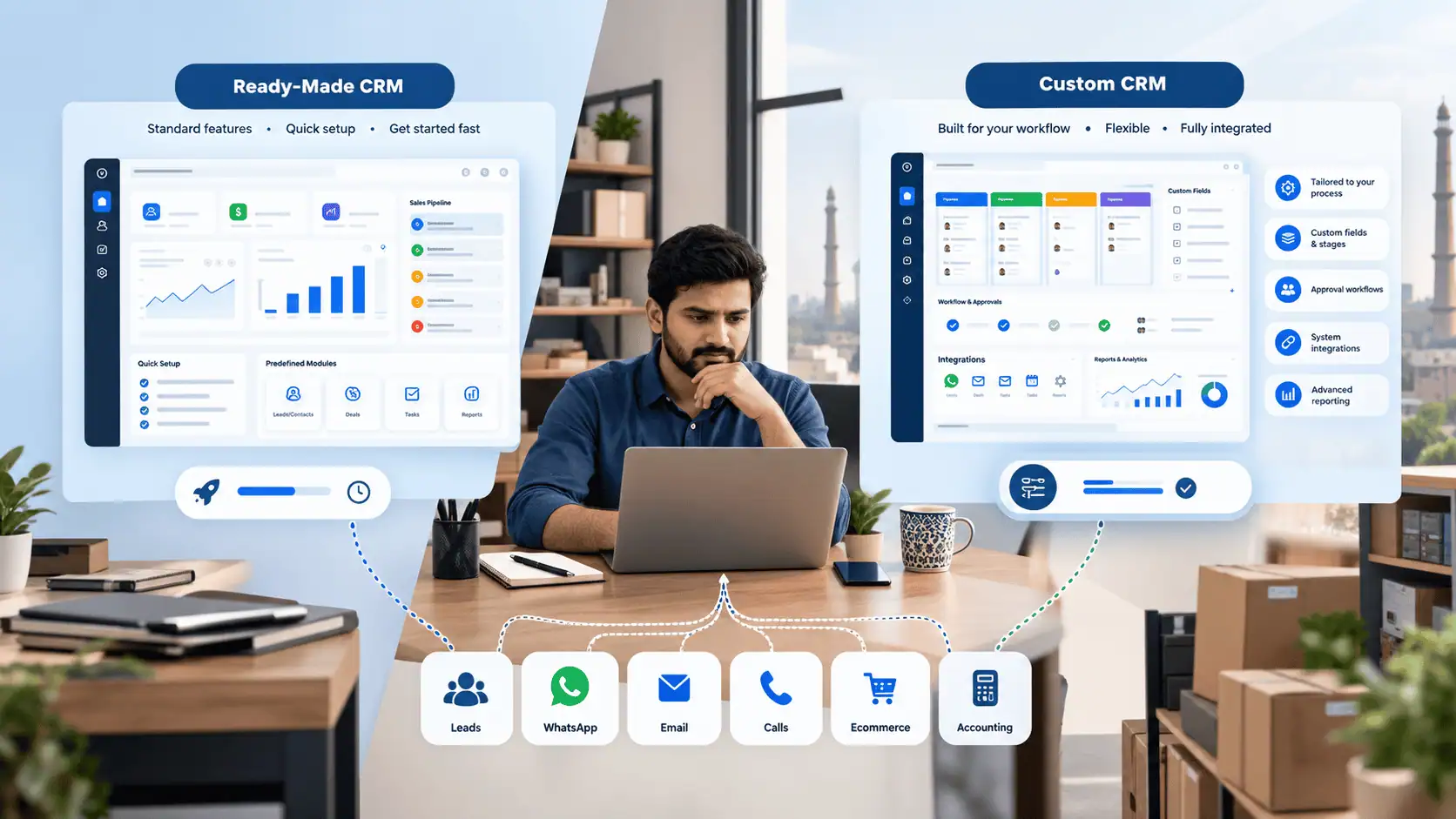
Most small businesses should start with a ready-made or configured CRM platform, and only consider custom development when the process genuinely doesn't fit standard workflows.
A ready-made CRM tends to make more sense when:
- The sales process is fairly standard (leads, follow-ups, proposals, closing)
- The business needs to get started quickly
- Customization requirements are limited
- Predictable subscription pricing is preferred over upfront development cost
- An existing platform already covers most of what's needed
A configured or custom CRM may make more sense when:
- The sales workflow is genuinely different from a typical lead-to-close process
- There's a multi-step or conditional approval process involved
- The business runs a heavy WhatsApp-based workflow that needs deep integration
- Reporting requirements go beyond what standard dashboards offer
- The CRM needs to connect tightly with existing ERP, accounting, or ecommerce systems
- The business operates across multiple branches with different needs
- The process has been tested and simply doesn't map onto standard CRM workflows
The instinct to jump straight to custom development is common, but it isn't always the right call. LumenAI's approach starts by evaluating whether an existing platform such as Odoo, Zoho, or HubSpot already covers the business requirements. If it does, configuring that platform is usually more sensible, faster, and cheaper than building a CRM from scratch. Custom development gets considered only when there's a clear, specific reason the existing options fall short.
How Much Does CRM Software Cost in Pakistan?
There is no single price for CRM software in Pakistan because cost depends on scope, not just the platform chosen.
The main factors that move the price up or down:
- Number of users, since most SaaS CRMs charge per user per month
- SaaS subscription vs custom development, a predictable recurring cost versus a larger upfront cost with no ongoing per-user licensing
- CRM platform chosen, as Odoo, Zoho, HubSpot, and similar platforms price differently by tier and modules
- WhatsApp or API integrations, which add setup and sometimes ongoing API costs
- Website integration, for pulling form submissions directly into the CRM
- Data migration, moving existing Excel sheets or records in cleanly, especially where data is duplicated or messy
- Custom workflows, for non-standard pipeline stages, approval steps, or automation rules
- Reporting requirements, beyond the standard dashboards most platforms include
- Training, to get the team actually using the system instead of reverting to old habits
- Support and maintenance, typically a separate ongoing cost, especially for customized setups
In practical terms, pricing ranges from relatively low-cost monthly SaaS subscriptions for a small team using standard features, up to significantly larger implementations when custom workflows, integrations, and data migration are involved. Rather than quoting a single number, it's more useful to map out which of the factors above apply to a specific business before estimating cost.
CRM for a 2 to 5 Person Sales Team: Is It Worth It?
Team size alone shouldn't decide whether a CRM is worth it. A two-person team with rising lead volume can outgrow Excel faster than a ten-person team with a simple, stable process.
A small team can benefit from CRM when:
- Lead volume is increasing and getting harder to track manually
- Follow-ups are being missed even with just a few people involved
- Leads are coming from multiple channels at once
- Customers are regularly handed between team members
- Management wants visibility into the pipeline without asking for updates
- Sales history needs to survive if someone leaves the business
On the other hand, if the sales process is simple, lead volume is manageable, and the current system (even if it's just Excel and WhatsApp) is working reliably, CRM may not be urgent yet. It's worth revisiting the decision as volume grows rather than adopting a system the team doesn't need yet.
Can a Small Business Start with CRM and Add ERP Later?
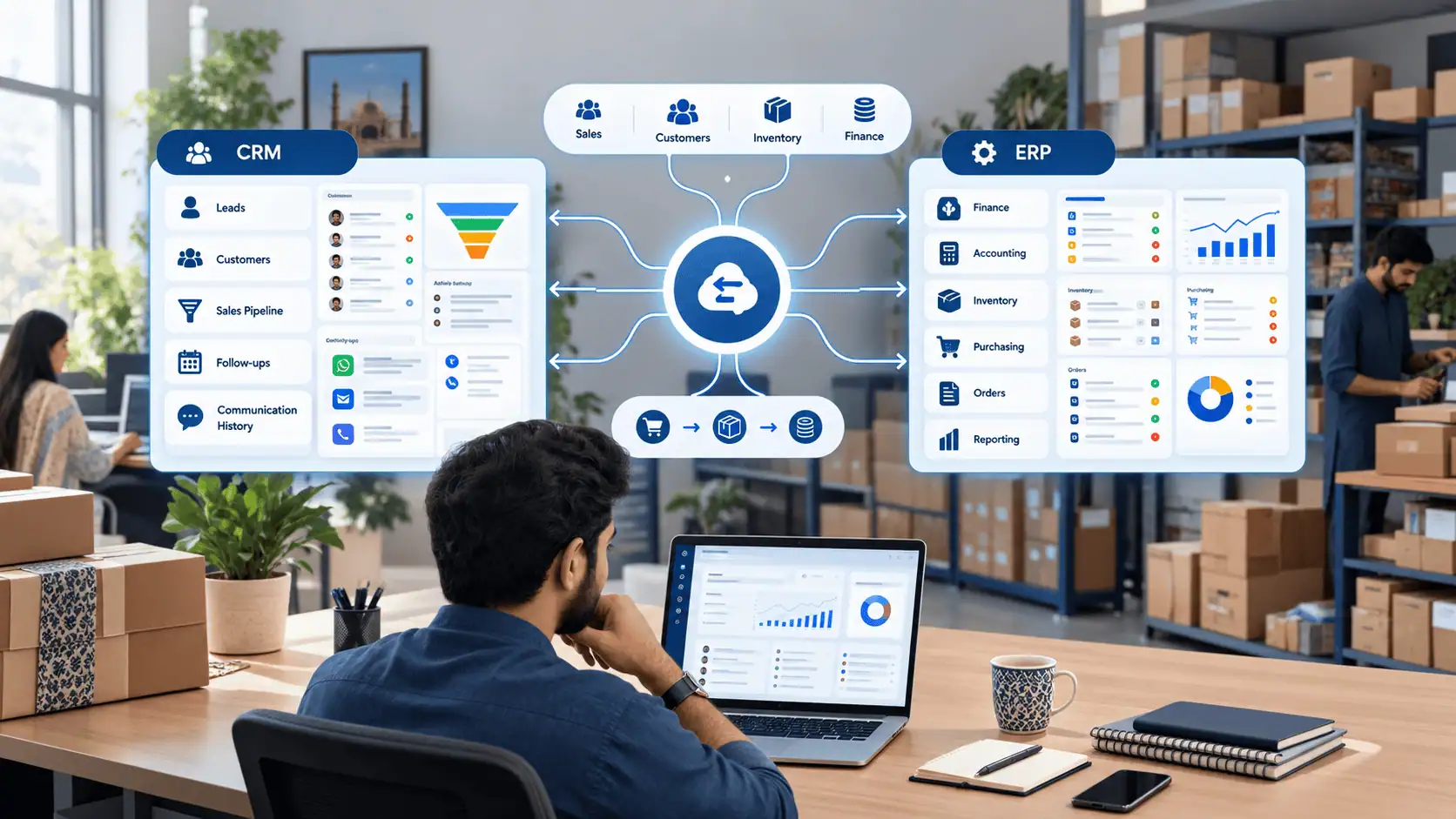
Yes. A small business can start with CRM and connect it to ERP later once operational complexity beyond sales and customer management starts to justify it.
The two systems cover different ground:
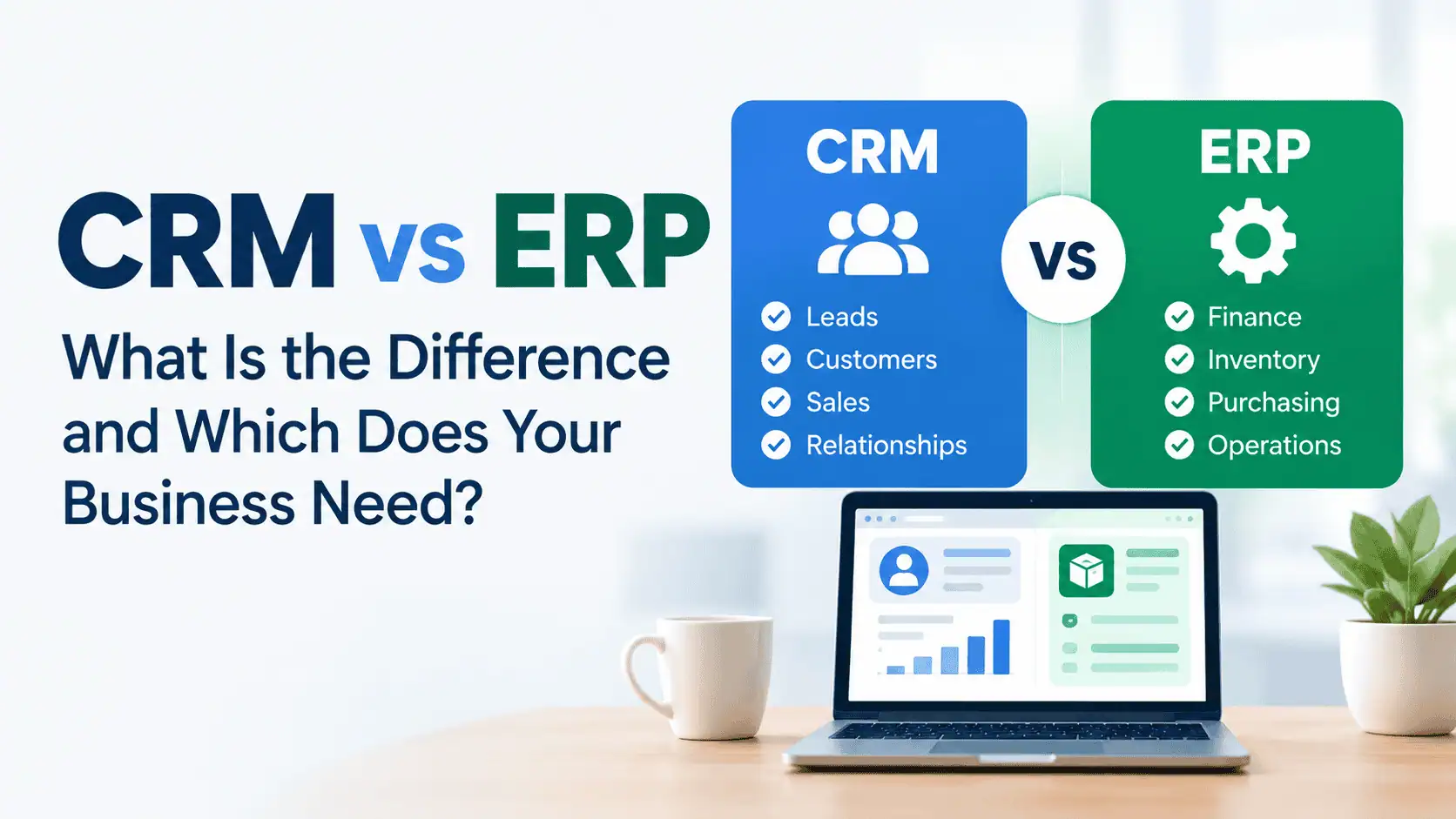
CRM handles customers, leads, the sales pipeline, communication, and follow-ups.
ERP handles finance, accounting, inventory, purchasing, and broader operational processes.
Many growing businesses in Pakistan start with CRM because sales and lead management is where the pain shows up first. As the business grows, particularly once inventory, procurement, or multi-department finance becomes harder to manage manually, connecting CRM with an ERP system becomes the logical next step rather than a day-one requirement. For a closer look at how the two differ and when each is needed, see CRM vs ERP. LumenAI's CRM solutions for Pakistani businesses are built with this kind of staged growth in mind, so a CRM implemented today can connect to ERP or accounting systems down the line rather than needing to be replaced.
How to Choose CRM Software for a Small Business in Pakistan
A practical checklist to work through before choosing a platform:
- Map the sales process first, before looking at software
- Identify every channel leads currently come from
- List the integrations that actually matter (WhatsApp, website, email, ERP)
- Decide who needs access, and at what level
- Check how usable the CRM is on mobile, especially for field or on-the-move staff
- Confirm the reporting it produces matches what management actually needs
- Plan how existing Excel data will be migrated, and clean it up beforehand
- Budget time for training, not just the software cost
- Compare total cost of ownership, not just the advertised subscription price
- Avoid paying for advanced features the team has no near-term use for
- Confirm the platform can scale in users and complexity as the business grows
Common CRM Mistakes Small Businesses Make
- Choosing a CRM based on feature count rather than actual need
- Picking a platform before mapping the sales process it needs to support
- Underestimating how much effort team adoption takes
- Treating the CRM as a database instead of an active sales tool
- Never properly defining pipeline stages
- Not assigning clear ownership for each lead
- Migrating duplicate or outdated data straight into the new system
- Buying more software than the business is ready to use
- Ignoring integration needs until after the platform is chosen
- Assuming a CRM will fix a sales process that was already broken
FAQs
1. When should a small business start using CRM software?
When managing leads and follow-ups through Excel, WhatsApp, or individual staff records starts causing missed follow-ups, lost leads, or duplicate work, regardless of employee count or revenue.
2. Is CRM worth it for a small business?
It's worth it when the cost of disorganization (missed sales, wasted admin time, poor visibility) outweighs the cost of adopting a system. If the current process works reliably, it may not be worth it yet.
3. Can a small business use CRM instead of Excel?
Yes, for lead tracking, follow-ups, and shared customer records. Excel can still be useful alongside CRM for ad hoc analysis that doesn't need to be shared in real time.
4. Can WhatsApp replace CRM software?
No. WhatsApp is a communication channel, not a system for managing pipeline stages, ownership, or customer history across a team. It can integrate with a CRM, but doesn't replace one.
5. How much does CRM software cost in Pakistan?
It depends on number of users, whether it's a SaaS subscription or custom build, which integrations are needed, and how much migration and training are involved. Costs range from modest monthly subscriptions to larger custom implementations.
6. What features should a small business CRM have?
At minimum: centralized customer records, lead and pipeline management, and follow-up reminders. Communication history and lead assignment matter once more than one or two people are involved.
7. Should a small business use a free CRM?
A free CRM can work for a very small team with simple needs, but most free tiers limit users, storage, or automation. Check those limits against expected growth before relying on one long-term.
8. Should I buy a ready-made CRM or build a custom CRM?
Start by checking whether a platform like Odoo, Zoho, or HubSpot already covers the requirements. Custom development makes sense only when the workflow genuinely doesn't fit standard CRM processes.
9. Can CRM integrate with WhatsApp?
Yes, many CRM platforms integrate with WhatsApp Business so conversations get logged against the right customer record, which matters most where WhatsApp is the primary lead channel.
10. Can CRM integrate with ERP software?
Yes. CRM can connect to ERP, accounting, or inventory systems so customer and sales data flows into broader operations, typically once that complexity starts to justify it.
11. Is CRM suitable for a 2 to 5 person sales team?
It can be, if lead volume is rising, follow-ups are being missed, or leads come from multiple channels. If the process is simple and working reliably, it may not be an urgent need yet.
Conclusion
A small business doesn't need CRM because every competitor seems to have one. It needs CRM when customer information, lead follow-ups, and sales processes have become genuinely difficult to manage reliably with the tools already in use, whether that's Excel, WhatsApp, email, or individual staff records.
The right choice from there depends on the business, not a general rule. A simple ready-made CRM may be enough for a straightforward sales process. A configured platform like Odoo, Zoho, or HubSpot may cover more complex needs without custom development. And a custom solution makes sense only where the workflow genuinely requires it, such as a heavy WhatsApp-based process, multi-branch operations, or tight integration with existing ERP and accounting systems. Working out which of these fits starts with mapping the actual sales process, not with picking software first.