If your team spends hours each week reading emails, copying data between apps, sorting requests, and chasing approvals, you are doing work that software can now handle. AI workflow automation is the technology that takes it over. This article explains what AI workflow automation is, how it works, the technology behind it, and how it differs from the automation you may already know.
AI workflow automation is the use of artificial intelligence to run multi-step business processes with little or no human input. It reads information, decides what to do based on context, and acts across your connected apps. The key difference from older automation is that it can handle messy, unstructured input and make judgment calls, not just follow fixed rules.
What is AI workflow automation?
AI workflow automation is a way of running a business process where AI handles the steps that need understanding or judgment, while connected software handles the steps that move data. It joins two things: automation, which links your tools together, and artificial intelligence, which reads, decides, and adapts.
Picture a process as a chain of steps. Older automation runs that chain only when every step is predictable and spelled out in advance. AI workflow automation runs the same chain even when some steps need interpretation, such as reading a customer’s email and working out what they actually want. It keeps the process moving and sends anything unusual to a person.
For the full picture, including costs, tools, and a rollout plan, see our complete guide to AI workflow automation. This article focuses on the core idea and how it works.
AI workflow automation vs traditional automation
The main difference is that traditional automation follows fixed rules, while AI workflow automation reads context and decides. Traditional automation breaks the moment something falls outside its instructions. AI automation handles that variation on its own.
| Feature | Traditional automation | AI workflow automation |
|---|---|---|
| Decision method | Fixed if-then rules | Reads context and decides per case |
| Unstructured data (emails, PDFs, images) | Cannot process | Reads and understands it |
| Handles unexpected cases | Breaks or stops | Adapts, or routes to a human |
| Improves over time | No | Yes, learns from outcomes |
| Best suited to | Simple, repetitive tasks | Tasks needing judgment |
In short, traditional automation moves data from one place to another. AI workflow automation interprets that data and decides what should happen next. To see where fully autonomous systems fit in, read about how AI agents differ from both.
What are the parts of an AI workflow?
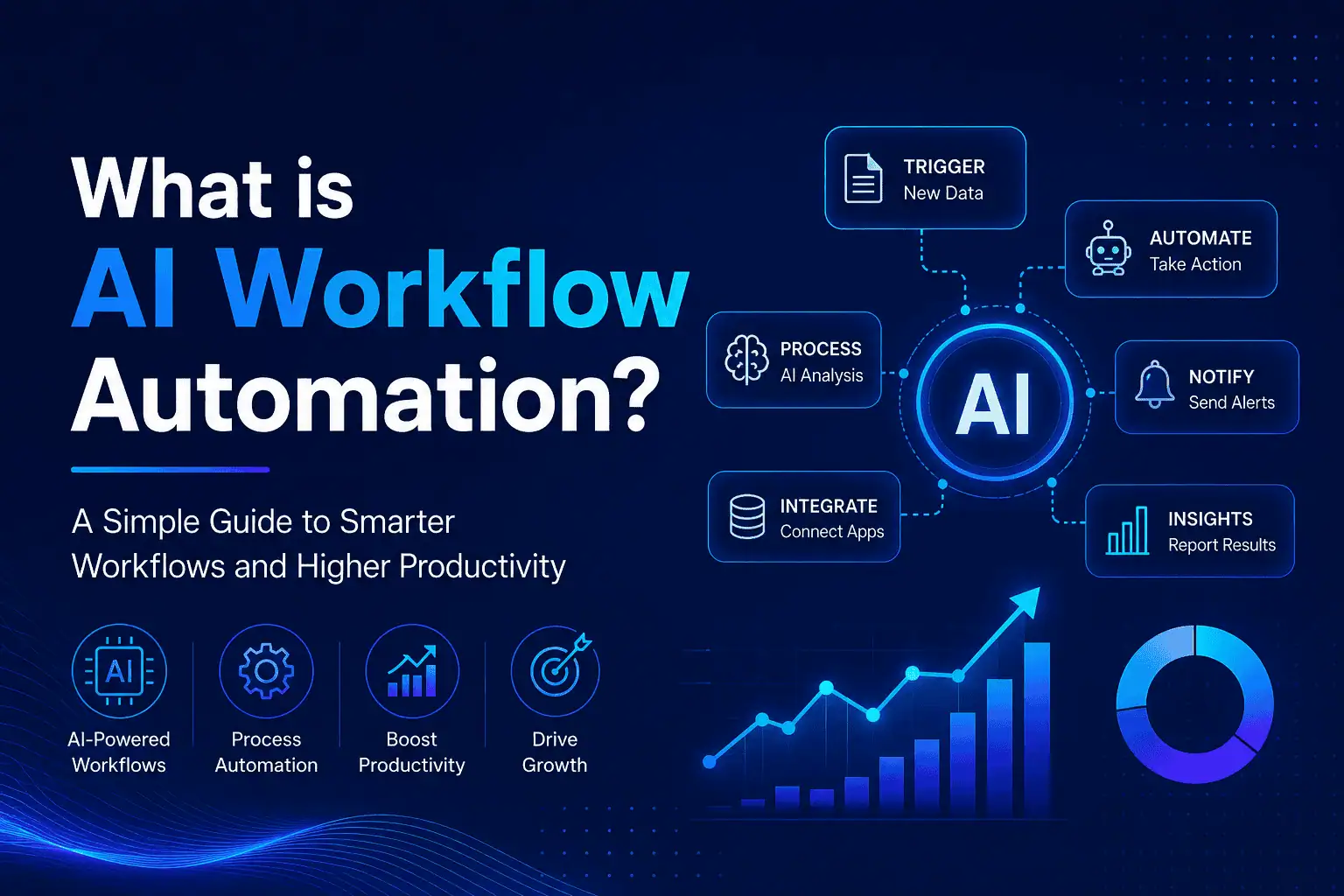
Every AI workflow is built from the same four building blocks. Understanding them makes the whole idea concrete.
- Trigger. The event that starts the workflow. A new email arrives, a form is filled, a payment clears, or a record changes.
- AI step. The intelligent part. An AI model reads the incoming information, classifies it, pulls out key details, or drafts a response based on context.
- Action. What the system does with the AI’s output. It updates a CRM, sends a message, creates a task, or kicks off the next workflow.
- Human checkpoint. An optional review point. Anything the AI is unsure about is routed to a person, so judgment stays where it belongs.
These four blocks repeat and combine to handle processes of almost any size, from a single task to a chain that spans several departments.
What technologies power AI workflow automation?
AI workflow automation runs on a small set of well-understood technologies working together. Each one handles a different kind of work.
Machine learning (ML) lets the system learn patterns from past data and improve its decisions over time, such as spotting which support tickets are urgent.
Natural language processing (NLP) lets the system read and understand human language, so it can interpret an email, a chat message, or a document.
Large language models (LLMs) power the more advanced reasoning and drafting steps, like summarizing a long thread or writing a tailored reply.
Robotic process automation (RPA) handles the repetitive, rule-based clicks and data moves between applications. When paired with AI, RPA can also deal with exceptions instead of stopping at them.
This blend sits inside a broader business trend that Gartner calls hyperautomation, where companies automate as many processes as they responsibly can.
A simple example of AI workflow automation
The clearest way to understand AI workflow automation is to follow one process end to end. Take a customer support inbox.
A message arrives (the trigger). The AI step reads it, works out that it is a refund request, and pulls the matching order from the system. It checks the refund against your policy. If the request clearly qualifies, the action step issues the refund and sends a confirmation, all within seconds. If the request is unusual, say the order is outside the refund window, it routes the message to a human agent with the details already attached.
The customer gets a fast answer, the agent only handles the genuinely tricky cases, and every step is logged. No one copied an order number by hand. That is a single AI workflow at work.
What AI workflow automation is NOT
AI workflow automation is often confused with related tools, so it helps to be clear about what it is not. Getting this straight prevents costly mismatches later.
It is not just a chatbot. A chatbot talks to a user, while an AI workflow runs a multi-step process behind the scenes, whether or not anyone is chatting.
It is not plain RPA. Classic robotic process automation only follows fixed rules and breaks on anything unexpected. AI workflow automation adds the ability to read context and make decisions.
It is not a fully autonomous AI agent. An agent sets its own plan to reach an open-ended goal. An AI workflow follows a defined path with AI at the decision points, which makes it more predictable and easier to trust for everyday business use.
Why businesses use AI workflow automation
Businesses adopt AI workflow automation to win back time, cut errors, and respond faster, and the supporting data is strong. In a Smartsheet survey, nearly 60% of workers said they could save six or more hours a week if the repetitive parts of their jobs were automated.
The financial upside depends on doing it properly. McKinsey’s 2025 State of AI report found that although 88% of organizations now use AI, only about 6% see significant enterprise-level impact, and the factor most strongly tied to that impact is redesigning the workflow rather than bolting AI onto an old process. The lesson is simple: automation pays off when you rethink the process, not just add a smart step to a broken one.
Is AI workflow automation right for your business?
AI workflow automation fits any business with repetitive, decision-heavy work that happens often enough to be worth automating. If a process runs daily, follows a recognizable pattern, and eats real hours, it is a strong candidate.
Smaller teams often benefit fastest because they have the least capacity to absorb manual work. If that sounds like your situation, our guide to AI automation for small businesses shows where to start. When you are ready to choose a platform, our comparison of automation platforms breaks down the options.
Frequently asked questions
What is AI workflow automation in simple terms?
AI workflow automation uses artificial intelligence to run multi-step business tasks on its own. It reads incoming information, decides what to do based on context, and takes action across your apps. Unlike older automation that only follows fixed rules, it can handle messy inputs and unusual cases, passing anything it is unsure about to a person for review.
How is AI workflow automation different from regular automation?
Regular automation follows fixed if-then rules and stops when something unexpected happens. AI workflow automation reads context, understands unstructured data like emails and PDFs, makes judgment-based decisions, and improves over time. Put simply, regular automation moves data between apps, while AI automation interprets that data and decides what to do with it.
What technologies are used in AI workflow automation?
AI workflow automation combines several technologies. Machine learning lets it learn from past data, natural language processing lets it read human language, large language models handle reasoning and writing, and robotic process automation handles repetitive clicks between apps. These work together so the system can both understand information and act on it across your tools.
Is AI workflow automation the same as an AI agent?
No. An AI agent plans its own steps to reach an open-ended goal with broad freedom. AI workflow automation follows a defined process with AI making the decisions at set points. This makes workflows more predictable and easier to trust for everyday business tasks, while agents suit more open, exploratory work that needs careful guardrails.
What kinds of tasks can AI workflow automation handle?
It handles repetitive, multi-step tasks that involve some judgment. Common examples include sorting and routing support tickets, scoring and following up on leads, reading invoices and matching them to orders, onboarding new clients or staff, and generating routine reports. Any process with a clear pattern and frequent volume is a good candidate for automation.
Do small businesses use AI workflow automation?
Yes, and they often gain the most. Small teams have little spare capacity, so removing manual work has an immediate effect. Many workflows can be automated affordably using no-code platforms, with no engineering team required. The key is to start with one high-friction process and expand once it proves its value.
Ready to automate your first workflow?
AI workflow automation gives your team back hours by handling the repetitive, decision-heavy work that slows everyone down. The best way to understand it is to put one workflow to work and see the result.
If you want help identifying where it fits in your business, explore Lumen’s workflow automation service or book a free automation call. We will map your most time-consuming process and show you what automating it would save.